FlexiViews
 FlexiViews
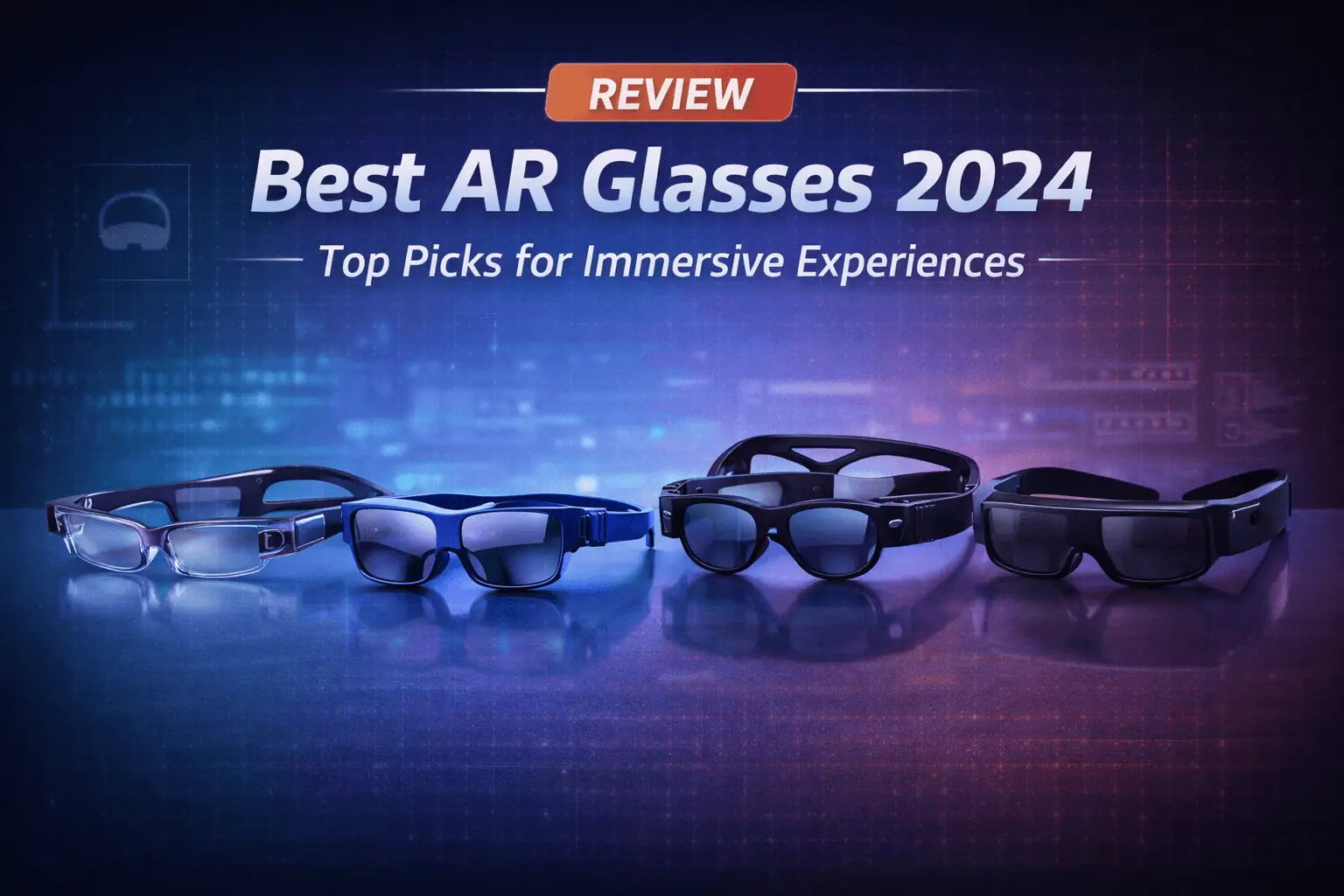
AR glasses mix digital info with the world around you. They project images, text, and data right into your vision but don’t block out your surroundings. Whether you’re gaming, working, navigating, or just watching a show, these glasses let you keep your head up instead of staring at your phone.
AR glasses come in all sorts of styles, from frames that look almost like standard eyewear to chunkier headsets packed with features. Some models connect to your phone or laptop, while others run on their own with built-in processors and batteries. The tech keeps getting better, and AR glasses are way more practical now than they were a few years back.
If you’re thinking about buying AR glasses, focus on field of view, battery life, and comfort. Field of view shapes how much digital content you’ll see, while battery life tells you how long you can use them before recharging. Weight and fit really matter—uncomfortable glasses get annoying fast, especially after an hour or two. Display quality and brightness matter too, since you’ll want to see clearly in all kinds of lighting. After comparing a bunch of AR glasses, we narrowed down the ones that balance features, comfort, and performance best.
Best AR Glasses
We reviewed and spec-checked the top AR glasses available in 2026 to help you find what fits your needs. This list covers gaming, work, and everyday use, and there’s something for different budgets.
Table of Contents
XREAL One Pro AR Glasses

- XREAL’s Self-Developed X1 Spatial Computing Chip: Delivers Native 3DoF tracking with ultra-low 3ms M2P latency, ensuring…
- The New Optic Engine-X-Prism Optics: XREAL’s advanced lens and projection system—ultra-slim, precision-engineered optics…
- Experience True AR with 6 DoF, Spatial Anchor Anytime: Pairing with XREAL Eye, anchor your screen anywhere in your room,…
The XREAL One Pro stands out for its sharp visuals and built-in tracking, making it a solid pick for anyone who wants AR glasses that connect to their devices.
Pros
- Crisp 171-inch virtual screen with minimal blur, stays steady even when you move your head
- Works with iPhones, Android phones, laptops, and gaming devices via USB-C
- Adjustable dimming lets you control how much of the real world you see
Cons
- At 87 grams, they can feel heavy on your nose after a while
- Some devices need you to tweak settings before anything shows up on the glasses
- Priced higher than basic AR glasses without spatial tracking
The display quality pops right away when you plug these into a laptop. The screen looks sharp and doesn’t wobble as you turn your head, thanks to the X1 chip inside. That chip keeps your virtual screen steady during normal use.
The 57-degree field of view takes up a good chunk of your vision but doesn’t block everything else. You can still see your keyboard, desk, or whatever’s around you, while a big display floats in front. With brightness up to 700 nits, the screen stays visible even by a window on a sunny day.
We liked the sizing options: the L version fits wider faces, the M suits average heads. Three nose pad sizes help, but honestly, after an hour, the weight gets noticeable. The arms adjust in three stages, which helps the fit a bit.
Setup is quick—just a few seconds for most devices. We connected to an iPhone 16, a Windows laptop, and a Steam Deck without needing extra apps. On-glasses controls let you tweak brightness and screen size without reaching for another device. The Bose-tuned speakers sound clear for calls and videos.
The electrochromic dimming is actually useful. Tap a button to darken the lenses and focus on your screen, then clear them up again to see your surroundings. The change happens in about two seconds—pretty slick.
Oakley Meta Vanguard

- OAKLEY META VANGUARD IS HERE — Wearable technology that takes your athletic performance to the next level. Capture actio…
- CAPTURE YOUR ACTION IN 3K — The action-ready camera is a game changer for athletes. Record mind-blowing video with the c…
- GET IN THE GAME WITH META AI With Meta AI built in, Oakley Meta glasses are designed to help athletes take their trainin…
These AR glasses are a good fit for athletes who want hands-free video and workout data without carrying extra gear.
Pros
- Centered 12 MP camera with 122° field of view captures wide-angle action
- Open-ear speakers deliver clear audio, even in wind, while letting you hear your surroundings
- Sweat and water resistance (IP67) stands up to tough workouts
Cons
- You need a separate Garmin device for real-time workout metrics
- Battery drains faster if you record video and stream music at the same time
- Wrap-around design doesn’t fit every face comfortably
The Oakley Meta Vanguard takes a practical approach to sports AR glasses. The 3K video looks smooth during runs and rides. Voice commands let you snap photos or start recording without fumbling for buttons.
The Prizm lenses handle bright sunlight well on outdoor workouts. Open-ear speakers mean you hear your music but still catch traffic or people nearby. Sound quality holds up even when the wind picks up.
Meta AI features kick in once you pair a Garmin device. You get spoken updates about heart rate, pace, and stats—no need to glance at your wrist. The glasses feel sturdy and stay put during intense movement.
Battery life hits about 9 hours with moderate use. The charging case adds 36 more hours, which is handy if you’re away from outlets. Battery drops faster if you’re recording a lot of video and playing music.
The glasses really suit folks already using Garmin gear. Without that, you lose the real-time workout metrics. Setup through the Meta app is quick and mostly painless.
Ray-Ban Meta Wayfarer Smart Glasses

- #1 SELLING AI GLASSES – Tap into iconic style for men and women, and advanced technology with the newest generation of R…
- UP TO 8 HOURS OF BATTERY LIFE – On a full charge, these smart AI glasses can last 2x longer than previous generations, u…
- 3K ULTRA HD: RECORD SHARP VIDEOS WITH RICH DETAIL – Capture photos and videos hands-free with an ultra-wide 12 MP camera…
These smart glasses are handy for casual recording and hands-free calls, but the Transitions lenses don’t darken like real sunglasses.
Pros
- 12MP camera shoots solid 3K video, great for sharing moments without grabbing your phone
- Battery lasts most of the day with moderate use; charging case adds days of power
- Open-ear speakers let you hear music and calls while staying aware of what’s around you
Cons
- Transitions lenses react slowly and never get dark enough in bright sun
- Meta AI’s responses feel basic and limited
- $500 feels high given the lens performance
The Ray-Ban Meta Wayfarer looks just like regular glasses. Unless someone spots the tiny camera, nobody knows you’re recording. The fit feels comfy for long stretches and the weight sits evenly—no sore spots.
The camera actually does better than expected. Videos look sharp in decent light, and the ultra-wide lens grabs a lot of the scene. You can record up to an hour before recharging. It’s easy to document stuff hands-free.
Audio through the open-ear speakers is clear for music and calls. You can hear your playlist but also catch nearby conversations. Noise cancellation during calls blocks most wind and street noise, so people hear you just fine.
The Transitions lenses, though, are kind of a letdown. They take their sweet time darkening outside and never get as dark as you’d hope. Indoors, they’re slow to clear up too. For the price, better lens performance would’ve been nice.
Meta AI handles simple stuff like sending messages or answering easy questions. Real-time translation works offline for a few languages, which is handy when traveling. Battery life gets you through a day, then you pop them in the charging case.
Rokid Max 2 AR Glasses

- Experience a stunning 215″ virtual screen at a 6-meter distance, delivering sharp, high-contrast visuals powered by adva…
- Break free from visual constraints with a 50° wide field of view (FOV) for a immersive perspective. Enjoy visuals with a…
- The Rokid Max 2 nose pad with an airy cushioning design. This innovative element prevents the glasses from slipping duri…
These glasses are a great pick if you want a portable screen for gaming or movies without lugging around a big display.
Pros
- Super lightweight at 75 grams, comfortable for long wear
- 215-inch virtual screen feels like your own private theater
- No charging needed—they run straight off your device via USB-C
Cons
- People with myopia over 600 diopters need extra prescription lenses
- Not “true” AR—they just mirror your screen, no overlays on the real world
- Nose pads can still get uncomfortable after a while, even with cushioning
The Rokid Max 2 really delivers a big, sharp virtual display. The Micro OLED screens look crisp and colors pop, even in a moderately lit room with 600 nits of brightness.
Setup is a breeze—plug in the USB-C and the display pops up in about a minute. A 50-degree field of view gives you plenty of screen space. The 120Hz refresh rate keeps games and action scenes looking smooth.
The built-in diopter adjustment is handy if you’re nearsighted. Just turn the dial to get things in focus—though it only works up to -6.00, so if your prescription is stronger, you’ll need custom lenses.
Weight’s spread out nicely across the frame. At 75 grams, they’re lighter than most phones. The cushioned nose pads help, but after an hour, you’ll probably notice a bit of pressure. They fit most faces up to 16 cm wide.
Just remember, these are screen-mirroring glasses, not full AR. There’s no digital overlay on your real-world view. They block out your surroundings, which is great for privacy but means you can’t walk around while using them. The Rokid Max 2 works with most new devices, including iPhone 15 and up, Android phones, Steam Deck, and laptops.
VITURE Pro XR Glasses

- 【BIGGER, BETTER, & BRIGHTER – Experience A Display Like No Other!】 Unlock a private 135” 120Hz Full HD UltraClarity scre…
- 【UltraClarity Without Blurred Edges】- Edge-to-edge clarity, so even small text is readable on the large screen of glasse…
- 【MYOPIA ADJUSTMENTS ON THE LATEST MICRO-OLED PANEL FOR UltraClarity】- Nearsighted? No problem! Experience the newest Mic…
These glasses give you a solid AR experience, with punchy brightness and a big virtual screen—just keep in mind they fit best if your IPD lands in the sweet spot.
Pros
- The 135-inch display and 4000 nits peak brightness make everything pop, even if you’re sitting in a bright room
- Built-in myopia adjustments mean you can skip prescription lenses if you’re nearsighted
- Electrochromic film blocks almost all outside light with a single button for total immersion
Cons
- If your IPD is above 67.5mm, you might notice blurred edges or some image quirks
- The right temple arm tends to get warm after a while
- Audio quality really depends on how the built-in speakers line up with your ears
The VITURE Pro XR Glasses feel like a real jump from the last model. That 120Hz refresh rate keeps things smooth for gaming and movies. Text stays sharp across the screen, which is great for reading or working.
The brightness is honestly impressive—content stays clear even with the lights on. The electrochromic film is handy if you want privacy or just want to block out distractions. Just tap the button and the lenses darken nearly all the way.
Comfort-wise, they’re light (under three ounces), and the aluminum body feels sturdy without making them clunky. But yeah, after about an hour, the right side starts to warm up and you’ll notice it.
The HARMAN speakers surprised me for open-ear audio. Folks nearby probably won’t hear what you’re watching. Still, you have to get the fit right; if the speakers aren’t lined up, the sound gets tinny or distant.
The SpaceWalker app adds some nice touches—multiple virtual screens and 3D video support. We spec-checked its compatibility on iPhone, Android, and Mac, and it plays nice with most modern devices over USB-C.
One thing to watch out for: if your interpupillary distance goes past 67.5mm, you’ll probably see some image issues around the edges. It’s not a dealbreaker for everyone, but it’s worth measuring before you buy.
Buying Guide
Shopping for AR glasses? There’s a lot to weigh, and the “best” really depends on what you want to do with them.
Display Quality
The screen makes or breaks the experience. Look for high resolution and a wide field of view. Brightness matters too—especially if you plan to use them outside or in bright spaces.
Comfort and Design
If you’re going to wear these for hours, they’d better feel good. Check the weight and see how they sit on your face. Adjustable nose pads and flexible arms are a plus.
Battery Life
Most AR glasses last 2 to 5 hours per charge. Figure out how long you’ll use them at a stretch. If you need longer sessions, look for quick charging or swappable batteries.
Connectivity Options
Check what you can plug them into. Typical options:
- Bluetooth
- Wi-Fi
- USB-C
- Wireless display protocols
Control Methods
Controls vary a lot. You might see:
- Touch panels on the frame
- Hand gestures
- Voice commands
- Smartphone apps
Price Range
AR glasses range from affordable to eye-watering. Set a budget and focus on features you’ll actually use. Pricier models pack in better optics and extras, but entry-level options handle basic stuff just fine.
Compatibility
Double-check if the glasses work with your devices. Some only play nice with certain operating systems or apps.
Frequently Asked Questions
AR glasses come in all shapes and flavors, with features and prices that jump from a few hundred bucks to several grand depending on what you’re after.
What features should I look for when choosing augmented reality glasses?
Display quality, field of view, and comfort should top your list. Field of view tells you how much digital content fits in your vision—most consumer AR glasses sit between 40 and 52 degrees diagonally.
Weight matters, especially if you wear them for hours. Most comfy AR glasses weigh in at 70 to 150 grams.
Processing power is key for smooth apps and quick responses. Look for glasses with chips made for AR, not just borrowed from smartphones.
Battery life lands somewhere between 2 and 8 hours. Keep in mind, features like video recording chew through the battery faster than just displaying info.
Which AR glasses offer the best field of view and resolution?
The Magic Leap 2 stands out with a 70-degree diagonal field of view—pretty wide for AR. Resolution hits 1440 x 1760 pixels per eye.
Microsoft HoloLens 2 offers a 52-degree field of view and 2048 x 1080 pixels per eye. Text and 3D objects look crisp.
Xreal Air 2 Pro gives you a 46-degree field of view and Full HD per eye. Solid for media and basic AR tasks.
How do the top AR glasses compare in terms of battery life and power efficiency?
Magic Leap 2 runs around 3.5 hours with its external computing pack, which is enough for most sessions and you can swap batteries if needed.
Microsoft HoloLens 2 lasts 2 to 3 hours of active use, with the battery in the back of the headband for better balance.
Xreal Air 2 Pro draws power straight from your device over USB-C, so battery life depends on your phone or laptop.
RayNeo X2 has a built-in battery that goes about 3 hours per charge and tops up in roughly 90 minutes.
Can you recommend AR glasses that are compatible with both Android and iOS devices?
Xreal Air 2 Pro works with Android and iOS using USB-C or Lightning. We compared it with different phones and saw solid performance across the board.
RayNeo X2 connects to both via its companion app, letting you mirror your phone’s display and run AR apps from either side.
Vuzix Shield supports Android and iOS through Bluetooth, which is handy if you bounce between devices.
What are the most advanced AR glasses for enterprise and industrial use?
Microsoft HoloLens 2 leads the pack for enterprise, with hand and eye tracking plus spatial mapping. It pops up everywhere from manufacturing to healthcare and even military training.
Magic Leap 2 targets pros with a dimming feature that works well in bright industrial spots. It’s also built for remote collaboration and heavy-duty 3D modeling.
RealWear Navigator 520 is all about hands-free use for industrial workers. You control it with your voice, and it works in noisy places or extreme temperatures (-20°C to 50°C).
Lenovo’s ThinkReality VRX combines VR and AR for enterprise training. Its passthrough cameras let workers see the real world while following digital instructions.
Are there any AR glasses that are particularly suited for gaming and entertainment purposes?
The Xreal Air 2 Pro throws up a virtual screen that feels like a 130-inch display about 4 meters away. Honestly, it’s pretty wild for gaming—console, PC, or even just on your phone, they all work.
The Rokid Max goes for a similar vibe, offering a big virtual display with a 50-degree field of view. You can hook these up to a Steam Deck, Nintendo Switch, or a regular gaming PC without much fuss.
Mad Gaze Glow Plus comes with some games already loaded and can stream from gaming platforms. The 40-degree field of view feels decent for casual sessions—not mind-blowing, but it gets the job done.
Viture One XR offers a 120-inch virtual screen and 1920 x 1080 resolution for each eye. The electrochromic dimming stands out here; it lets you tweak the brightness for gaming in different lighting, which is actually pretty handy.
 FlexiViews