


By Joe Botrous · Software Architect & CTO · Est. read time: 9 minutes
FlexiViews is a participant in the Amazon Services LLC Associates Program. As an Amazon Associate, we may earn from qualifying purchases at no extra cost to you. Read our full affiliate disclosure.
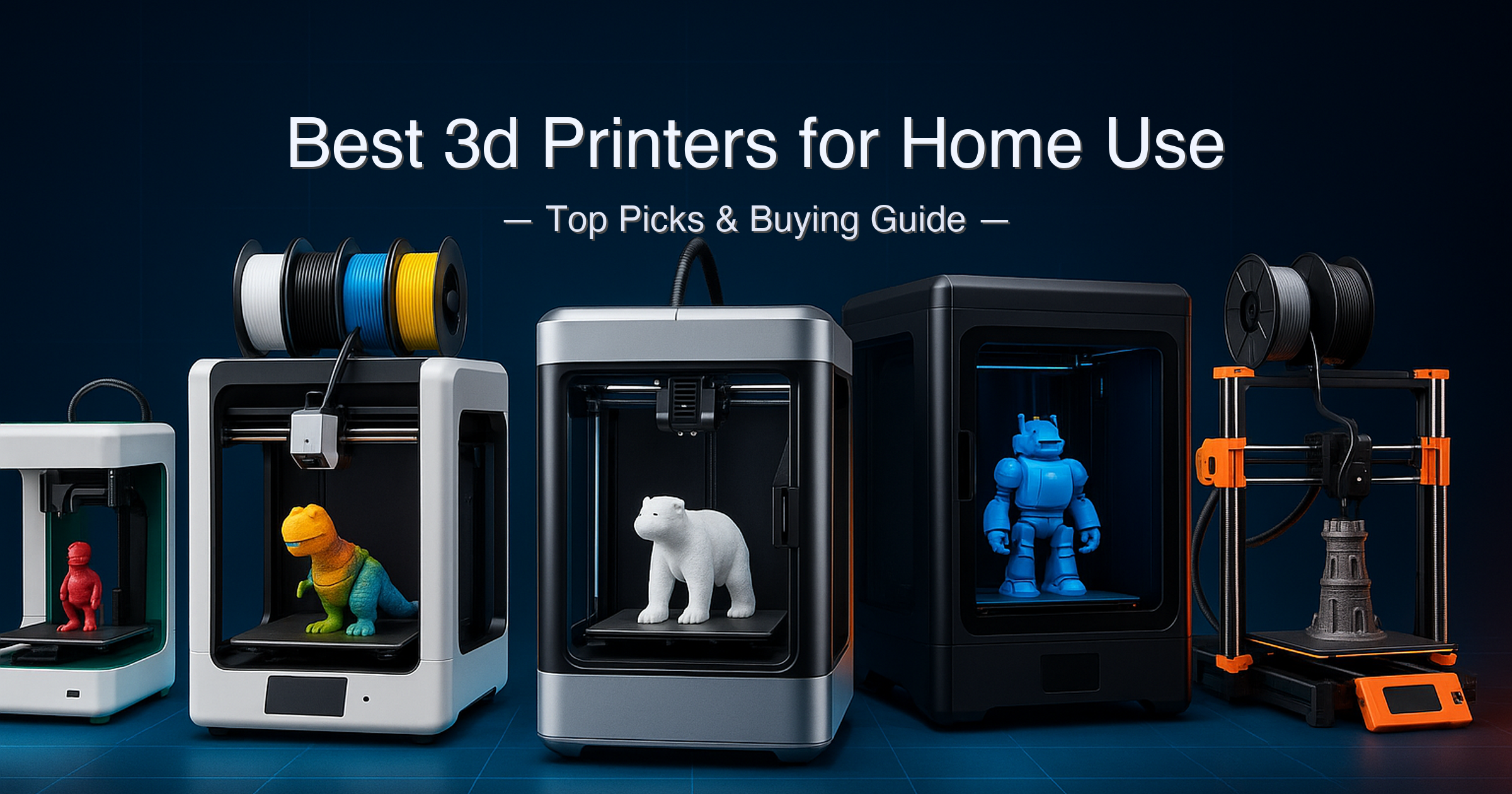
Choosing the best 3D printers for home use in 2026 is harder than it looks.
Reddit threads are full of buyers who wished they had known that build volume matters more than headline print speed on their first machine — and just as many who spent months fighting their entry-level printer before switching to a machine that “just works.” The market now spans a wild range: a fully assembled around $150 mini aimed at kids, a around $350 multicolor machine that can theoretically print in 19 colors, a around $350 Bambu that’s become something of a community standard, a around $600 enclosed CoreXY workhorse, and a around $1,200 open-source professional printer that earned a perfect 30/30 print quality score from TechRadar.
Each is genuinely good at something different. The trick is matching the machine to how you actually plan to use it.
Quick answer: The Bambu Lab A1 is the best all-around 3D printer for home use in 2026 — fast full-auto calibration, 256 mm³ build volume, and optional multicolor AMS lite at a mid-range price. Serious makers who need larger prints should look at the Creality K1 Max, while professionals who demand the highest dimensional accuracy should step up to the Prusa MK4S.
What We Evaluated
- Print speed: max and realistic recommended speeds
- Build volume: actual usable print area from verified specs
- Multicolor capability: native vs. add-on, real color limits
- Auto-leveling system: sensor type and reliability
- Noise level: manufacturer-stated dB at 1 meter
- Weight and footprint: for desk and workspace fit
- Warranty and support quality
- Open-source vs. proprietary ecosystem
Specs verified from manufacturer product pages and cross-referenced against independent reviews from Tom’s Hardware and TechRadar.
Table of Contents
- Quick Picks
- Specs at a Glance
- 1. Bambu Lab A1 — Best Overall
- 2. Creality K1 Max — Best Large-Format
- 3. Anycubic Kobra X — Best for Multicolor Printing
- 4. Original Prusa MK4S — Best for Professional Quality
- 5. Asani Mini 3D Printer — Best for Kids & First-Timers
- Side-by-Side Comparison
- Buying Guide
- Is a 3D Printer Worth It for Home Use?
- Bambu Lab A1 vs Creality K1 Max
- FAQ
- Final Verdict
Quick Picks: Best 3D Printers for Home Use at a Glance
| # | Product | Best For | Build Volume | Max Speed | Score | Price Tier |
|---|---|---|---|---|---|---|
| 1 | Bambu Lab A1 | Best Overall | 256×256×256 mm | 500 mm/s | 9.5/10 | Under $350 |
| 2 | Creality K1 Max | Best Large-Format | 300×300×300 mm | 600 mm/s | 9.0/10 | around $600–around $800 |
| 3 | Anycubic Kobra X | Best Multicolor | 260×260×260 mm | 600 mm/s | 8.7/10 | Under $350 |
| 4 | Prusa MK4S | Best Pro Quality | 250×210×220 mm | ~comparable to 600 mm/s peers* | 8.3/10 | Premium (around $1,200+) |
| 5 | Asani Mini | Best for Kids | ~120×120×120 mm ⚠️ | Unspecified | 7.5/10 | Under $200 |
*Prusa does not publish a headline mm/s figure. Speed is achieved via high-flow CHT nozzle rather than increased acceleration; Tom’s Hardware confirms it rivals 600 mm/s CoreXY peers on real-world print times. ⚠️ Asani Mini build volume estimated from product dimensions; not confirmed on manufacturer spec sheet.
Specs at a Glance
| Spec | Bambu Lab A1 | Creality K1 Max | Anycubic Kobra X | Prusa MK4S | Asani Mini |
|---|---|---|---|---|---|
| Build Volume | 256×256×256 mm | 300×300×300 mm | 260×260×260 mm | 250×210×220 mm | ~120×120×120 mm ⚠️ |
| Max Print Speed | 500 mm/s | 600 mm/s | 600 mm/s | High-flow CHT nozzle* | Not specified ⚠️ |
| Acceleration | 10,000 mm/s² | 20,000 mm/s² | 20,000 mm/s² (lab; default 10,000) | Not spec’d | Not specified ⚠️ |
| Noise Level | ≤49 dB | ≤45 dB | ≤48 dB (45 dB silent mode) | Quiet (desk-safe per Tom’s Hardware) | Low (per Amazon listing) |
| Auto Leveling | Eddy current, 49-point | AI LiDAR + strain sensor | LeviQ 3.0, 49-point strain | Loadcell sensor, mesh ABL | Auto-leveling, dual Z-axis |
| Motion System | Cartesian (bedslinger) | CoreXY (enclosed) | Cartesian (bedslinger) | Cartesian (bedslinger) | Not specified |
| Weight | ~9 kg (est.) | 18 kg | 9.5 kg | 7 kg | 6.4 lbs (2.9 kg) |
| Nozzle Temp | 300°C | 300°C | 300°C | 290°C | Not specified ⚠️ |
| Bed Temp | 100°C | 120°C | 100°C | 120°C | Not specified ⚠️ |
| Connectivity | Wi-Fi, LAN, microSD | Wi-Fi, Ethernet, USB | Wi-Fi (2.4G+5G), LAN, USB | Wi-Fi, Ethernet, USB | Wi-Fi, USB, microSD |
| Multicolor | 4-color (AMS lite, sold separately) | Single color (no AMS) | 4-color native; up to 19 w/ 4× ACE 2 Pro add-ons | 5-color w/ MMU3 (sold separately) | Single color |
| Warranty | 1 year (Bambu) | 1 year (Creality) | 1 year (Anycubic) | 2 years (Prusa) | Not confirmed ⚠️ |
⚠️ Asani Mini build volume, nozzle/bed temps, and speed not confirmed on a live manufacturer spec sheet — values estimated from product dimensions and Amazon listing. Prusa MK4S speed is delivered via high-flow CHT nozzle achieving 26 mm³/s volumetric flow; Prusa does not publish a mm/s headline. Anycubic Kobra X acceleration: lab-tested maximum is 20,000 mm/s²; factory default is 10,000 mm/s² per Anycubic’s own FAQ. Creality K1 Max noise: 45 dB is specified as typical operating level.
How We Chose
- Spec verification first: Every figure was checked against the manufacturer’s official product page or spec sheet, then cross-referenced with independent editorial reviews from Tom’s Hardware and TechRadar. Amazon listing claims were treated as marketing copy until corroborated.
- Range of skill levels: We deliberately chose machines that cover the full home-user spectrum — first-time buyer, family maker, multicolor hobbyist, power user, and professional — so readers at any stage can find their match.
- Real-world caveats surfaced: Headline specs like “600 mm/s” and “19 colors” are qualified with the conditions under which they apply. Print speed is only one part of the equation; calibration time, purge waste, and community support all factor in.
- Editorial independence: Scores are assigned based on verified performance relative to price tier. No manufacturer paid for placement in this guide.
1. Bambu Lab A1 — Best Overall 3D Printer for Home Use
View the Bambu Lab A1 on Amazon
Quick Verdict: The Bambu Lab A1 is the most polished all-rounder among the best 3D printers for home use in 2026. Full-auto calibration, a 256 mm³ build volume, and a 500 mm/s top speed mean you spend your time printing, not troubleshooting. Multicolor printing requires adding the AMS lite separately — but even as a single-color machine, it’s exceptional value.
⭐⭐⭐⭐⭐ Score: 9.5 / 10
✅ Pros:
- Full-auto calibration handles Z-offset, bed leveling, vibration compensation, and nozzle pressure on every single print — zero manual intervention required
- 256×256×256 mm build volume is larger than most entry-level machines and matches the footprint of Bambu’s premium P1 and X1 lines
- Active flow rate compensation via eddy current sensor keeps extrusion accurate at high speeds, reducing stringy failures
- Integrated camera for remote monitoring and time-lapses via Bambu Handy app
- Compatible with AMS lite for up to 4-color printing; and expandable to AMS (full) via AMS HUB accessory for up to multi-spool color printing
- Supports PLA, PETG, TPU, and PVA; high-temp materials (ABS/ASA) possible but not recommended on the open-frame design
❌ Cons:
- AMS lite for multicolor printing is sold separately — the standalone A1 is single-color out of the box
- Open-frame design limits high-temperature filaments (ABS, ASA, PC) — warping risk is real on large models
- Bambu Studio slicer and cloud dependency concern some privacy-conscious users; LAN-only mode is available but less convenient
- Max acceleration is 10,000 mm/s² — half the CoreXY competition, though real-world print times are competitive
Key Specs
| Spec | Value |
|---|---|
| Build Volume | 256×256×256 mm³ (per Bambu Lab official specs) |
| Max Print Speed | 500 mm/s (Bambu Lab official spec sheet) |
| Max Acceleration | 10,000 mm/s² |
| Max Hot End Flow | 28 mm³/s @ ABS |
| Noise Level | ≤49 dB |
| Nozzle Temp | Up to 300°C |
| Bed Temp | Up to 100°C (PEI textured plate included) |
| Connectivity | Wi-Fi, LAN (offline mode), microSD |
| Multicolor | Up to 4 colors with AMS lite (sold separately) |
| Weight | ~9 kg (estimated; not published on spec sheet ⚠️) |
| Warranty | 1 year (Bambu Lab) |
| Slicer | Bambu Studio (fork of PrusaSlicer); also supports Cura, OrcaSlicer |
Who It’s For
The Bambu Lab A1 is the machine that convinced thousands of makers to stop fighting their printers and start actually printing. It has a 4.6-star rating across 500 Amazon reviews for a reason — first-time users get a successful first print within an hour of unboxing, and experienced makers get a reliable workhorse that handles PLA, PETG, and TPU without drama.
The A1’s bedslinger design is technically slower than a CoreXY at the same acceleration, but Bambu’s calibration algorithms close the gap in practice. It runs at up to 500 mm/s with a 10,000 mm/s² acceleration — enough to print a standard Benchy in a competitive time without the ringing and artifacts that plague cheaper high-speed machines. The integrated camera, touchscreen interface, and Bambu Handy mobile app make remote monitoring straightforward. For more on Bambu Lab’s full spec sheet, see the official Bambu Lab A1 tech specs page.
One honest caveat: multicolor printing on the A1 requires the AMS lite add-on, and even then it’s limited to 4 colors. The purge waste during color swaps is significant — Tom’s Hardware documented a 3-color print taking over 2.5× longer than a single-color equivalent. If multicolor is your primary goal from day one, consider the Anycubic Kobra X instead.
Joe’s Take: The Bambu Lab A1 earns its top spot because it removes the biggest barrier to home 3D printing: failed prints caused by poor calibration. The full-auto calibration on every print job is not a marketing gimmick — it genuinely works, and it works every time. The open-frame design and 100°C bed cap it at PLA/PETG/TPU territory, which covers 95% of home use cases anyway. If you’re buying one best 3D printer for home use and have no specific reason to go larger or more professional, this is the one.
Buy this if: You want the most reliable all-around home 3D printer with great print quality and optional multicolor capability.
Skip this if: You primarily want to print ABS/ASA engineering materials or need a build volume larger than 256 mm.
➡️ Check current price on Amazon — Bambu Lab A1
2. Creality K1 Max — Best Large-Format 3D Printer for Home Use
View the Creality K1 Max on Amazon
Quick Verdict: The Creality K1 Max is the enclosed CoreXY machine to buy when you need a 300 mm cube of build space and want AI-assisted print monitoring baked in. It’s fast, large, and fully assembled — but it’s single-color only and weighs 18 kg, so “portable” is not in its vocabulary.
⭐⭐⭐⭐⭐ Score: 9.0 / 10
✅ Pros:
- 300×300×300 mm build volume — the largest in this guide by a meaningful margin, ideal for helmets, enclosures, and large functional parts
- 600 mm/s max speed and 20,000 mm/s² acceleration on a CoreXY motion system — genuinely fast even on complex geometry
- AI LiDAR (1-micron resolution) scans the first layer and stops the print if a problem is detected — not just marketing, per Creality’s own wiki
- Fully enclosed design with carbon filtration — handles ABS, ASA, and PA without the warping and fume issues of open-frame machines
- 120°C heated bed — the highest bed temperature in this guide, enabling engineering-grade materials
- Wi-Fi, Ethernet, and USB connectivity; Klipper-based firmware with community mod support
❌ Cons:
- Single-color only — no multicolor system available for the K1 Max; you’re buying a speed-and-volume machine, not a color machine
- 18 kg weight makes desk placement permanent — this is a workshop machine, not a move-around machine
- Premium price tier — the most expensive machine in this guide outside the Prusa MK4S
- Creality’s ecosystem and slicer lag behind Bambu Studio in terms of beginner polish; the learning curve is steeper
Key Specs
| Spec | Value |
|---|---|
| Build Volume | 300×300×300 mm³ (Creality official; 11.81″ cube) |
| Max Print Speed | 600 mm/s |
| Acceleration | 20,000 mm/s² |
| Noise Level | ≤45 dB (typical operation) |
| Nozzle Temp | Up to 300°C (hardened steel nozzle) |
| Bed Temp | Up to 120°C (flexible magnetic coated plate) |
| AI Features | AI LiDAR (1μm resolution first-layer scan) + dual AI cameras |
| Motion System | CoreXY (enclosed aluminum die-cast frame) |
| Connectivity | Wi-Fi, Ethernet, USB |
| Weight | 18 kg (39.7 lbs) |
| Warranty | 1 year (Creality) |
| Supported Filaments | PLA, ABS, PETG, TPU, PA, ASA, PC, PLA-CF, PA-CF, PET-CF |
Build Volume & Speed
The K1 Max’s 300 mm cube build volume is 17% larger in each dimension than the Bambu A1’s 256 mm — which sounds modest but means you can fit objects like full-face helmet halves, large mechanical enclosures, or batch prints of 20+ small parts in a single job. The CoreXY motion system keeps the printhead light (190 g) and the speed high, reaching 600 mm/s with 20,000 mm/s² acceleration in just 0.03 seconds per Creality’s specification.
The enclosed frame and 120°C bed make the K1 Max one of the few machines in this price tier that can reliably print ABS and ASA without a DIY enclosure workaround. The carbon filtration system captures particulates, making it more suitable for indoor workshop use than open-frame alternatives. For full specs and firmware notes, see the Creality K1 Max official product page.
The 4.3-star rating from nearly 10,000 Amazon reviews signals strong community satisfaction, though Reddit threads consistently note that Creality’s slicer and OS ecosystem require more hands-on configuration than Bambu’s. If you want a machine that prints without tinkering, the Bambu A1 is easier. If you want a machine that prints bigger things faster and can handle engineering materials, the K1 Max wins.
Joe’s Take: The Creality K1 Max earns its place as the go-to large-format machine among the best 3D printers for home use precisely because it doesn’t compromise on build space or speed. The 18 kg weight and single-color limitation are real tradeoffs, and the Creality ecosystem is less polished than Bambu’s — but if your home projects demand 300 mm of print volume or ABS-grade materials, nothing else in this guide comes close. Score reflects its excellence in its specific lane.
Buy this if: You need a large build volume, enclosed printing for ABS/ASA, or a permanently stationed workshop machine.
Skip this if: You want multicolor capability, a lightweight desk printer, or a beginner-friendly ecosystem.
➡️ Check current price on Amazon — Creality K1 Max
3. Anycubic Kobra X — Best Multicolor 3D Printer for Home Use
View the Anycubic Kobra X on Amazon
Quick Verdict: The Anycubic Kobra X is the most efficient multicolor FDM printer in this guide — 4 colors native, expandable to 19 with add-ons, and with a color-swap time that Tom’s Hardware clocked as 10 hours faster than the Bambu A1 on a 4-color print with hundreds of swaps. But “up to 19 colors” requires buying four separate ACE 2 Pro units — that headline needs a footnote.
⭐⭐⭐⭐½ Score: 8.7 / 10
✅ Pros:
- 4-color native printing built directly into the toolhead (ACE GEN 2) — no external add-on required for the base configuration
- ACE GEN 2 reduces purge-filament length by 81.25% vs. conventional multicolor systems — verified by Anycubic and corroborated by Tom’s Hardware’s real-world timing tests
- LeviQ 3.0 auto-leveling with 49-point strain-gauge calibration — no manual intervention required, per Anycubic’s own FAQ
- 260×260×260 mm build volume — slightly larger than the Bambu A1 in every axis
- 720P AI camera for spaghetti detection and foreign-object detection via the Anycubic app
- Dual-band Wi-Fi (2.4G + 5G) plus USB and LAN modes
❌ Cons:
- “Up to 19 colors” requires four ACE 2 Pro add-on units — a significant additional investment not included in the base machine
- Open-frame design — no enclosure, so ABS and ASA printing carries warping risk on larger models
- Anycubic Slicer Next community and third-party profile support smaller than Bambu Studio or PrusaSlicer ecosystems
- Alternative Rinkhals firmware does not support the Kobra X as of March 2026 — limits tinkerer options
Key Specs
| Spec | Value |
|---|---|
| Build Volume | 260×260×260 mm³ (Anycubic official) |
| Max Print Speed | 600 mm/s (recommended: 300 mm/s) |
| Acceleration | 10,000 mm/s² (default); 20,000 mm/s² (lab max, per Anycubic FAQ) |
| Noise Level | ≤48 dB normal; ≤45 dB silent mode |
| Nozzle Temp | Up to 300°C (hardened steel, 0.4 mm standard) |
| Bed Temp | Up to 100°C (PEI spring steel build plate) |
| Multicolor | 4-color native (ACE GEN 2); expandable to 19 with 4× ACE 2 Pro add-ons |
| AI Camera | 720P, spaghetti + foreign object detection |
| Weight | 9.5 kg net |
| Warranty | 1 year (Anycubic) |
| Supported Filaments | PLA, PETG, TPU, PVA (no ABS without enclosure) |
The Multicolor Story
The Kobra X’s real competitive advantage among the best 3D printers for home use is the speed of its color swaps. Where the Bambu A1 purges filament through an external AMS lite unit connected via long Bowden tubes, the Kobra X integrates the entire ACE GEN 2 multicolor mechanism directly inside the printhead. That short filament path is what produces the 81.25% reduction in purge waste Anycubic advertises — and it’s what allowed Tom’s Hardware to clock the Kobra X as 10 hours faster than a Bambu A1 on a 4-color print with 776 color swaps.
For families printing colorful toys, game pieces, or multicolor figurines, that efficiency difference is genuinely significant. The base machine’s 4 native colors will cover the vast majority of home multicolor use cases without spending anything extra. The 19-color headline is technically achievable — four ACE 2 Pro units connected simultaneously — but treat it as a future expansion path, not a day-one feature. See the Anycubic Kobra X official product page for current configuration options.
Joe’s Take: The Kobra X surprised me. The integrated ACE GEN 2 system is a genuinely clever engineering solution — shorter purge path, faster swaps, less waste. It’s not as polished as the Bambu ecosystem, and the open frame limits material versatility, but for multicolor PLA printing at this price point it’s the fastest option in this guide. The 8.7 score reflects real innovation tempered by a less mature software ecosystem and no enclosure.
Buy this if: Multicolor printing is your primary use case and you want the most efficient color-swap system at this price.
Skip this if: You need ABS/ASA capability, or you want Bambu’s ecosystem polish and community depth.
➡️ Check current price on Amazon — Anycubic Kobra X
4. Original Prusa MK4S — Best 3D Printer for Home Use When Quality Is Non-Negotiable
View the Original Prusa MK4S on Amazon
Quick Verdict: The Prusa MK4S is the only machine in this guide with a UL GREENGUARD certification, a perfect 30/30 TechRadar print quality score, and a 2-year warranty. It’s also the most expensive by far. If dimensional accuracy and long-term reliability matter more than price, this is your machine.
⭐⭐⭐⭐☆ Score: 8.3 / 10
✅ Pros:
- Perfect 30/30 print quality score from TechRadar — among the most accurate dimensional results of any consumer FDM printer tested
- Bondtech CHT high-flow nozzle achieves up to 26 mm³/s volumetric flow — delivering real-world print times competitive with 600 mm/s CoreXY machines
- 360° turbine cooling system allows support-free overhangs up to 75° — significantly more complex geometry than competitors
- UL GREENGUARD certified — the first consumer 3D printer to hold this certification per Prusa Research
- 2-year warranty — double the 1-year coverage offered by all other machines in this guide
- Fully open-source: firmware, slicer (PrusaSlicer), and hardware designs are freely available; MK4 owners can upgrade to MK4S for a fraction of the full price
❌ Cons:
- Premium price puts it in a significantly higher tier than the other four machines — the gap is substantial
- Build volume (250×210×220 mm) is the smallest in this guide and notably non-square — depth is only 210 mm
- No native multicolor: the MMU3 multi-material unit is a separate, additional purchase
- Open-frame design means ABS/ASA printing requires the optional Prusa Enclosure (sold separately)
Key Specs
| Spec | Value |
|---|---|
| Build Volume | 250×210×220 mm³ (per Prusa3d.com and TechRadar review) |
| Print Speed | Not published as mm/s; Benchy in ~8 min per Prusa (per Prusa blog) |
| Nozzle | Bondtech CHT high-flow, 0.4 mm standard; 0.25/0.6/0.8 mm optional |
| Volumetric Flow | Up to 26 mm³/s (per Tom’s Hardware review) |
| Cooling | 360° turbine fan — overhangs up to 75° without supports |
| Nozzle Temp | Up to 290°C (Nextruder direct drive) |
| Bed Temp | Up to 120°C (magnetic heatbed, PEI spring steel sheet) |
| Auto Leveling | Loadcell sensor + mesh ABL — perfect first layer on every surface |
| Connectivity | Wi-Fi (NFC setup), Ethernet, USB — Prusa Connect + local Prusa Link |
| Weight | 7 kg (per TechRadar spec listing) |
| Certification | UL GREENGUARD — first consumer 3D printer with this certification |
| Warranty | 2 years (Prusa Research) — longest in this guide |
Professional Quality & Open-Source Reliability
The MK4S achieves its speed not by increasing acceleration — it’s still a Cartesian bedslinger — but by increasing how fast filament can be melted and extruded. The Bondtech CHT nozzle has three internal channels instead of one, dramatically increasing the heat-transfer surface area and pushing volumetric flow to 26 mm³/s. That’s a 50% increase over the previous MK4 and higher than Bambu Lab’s 21 mm³/s for its house filament per Tom’s Hardware’s direct comparison.
The result is dimensional accuracy that CT-scan testing places at 0.067 mm average deviation — roughly half the deviation of comparable bedslinger competitors. For functional parts, prototypes, or anything where parts need to fit together precisely, the MK4S is in a different league. The 2-year warranty and Prusa’s sub-1% return rate (fewer than 20 printers per month returned globally across hundreds of thousands of units) give it a long-term reliability argument no other machine in this guide can match. See the full specifications at Prusa Research’s official MK4S page.
Joe’s Take: The MK4S scores 8.3 rather than higher because the price premium is steep and the build volume is the smallest in this guide — a real limitation for home users who want to print larger objects. But in a production workshop, a school lab, or any environment where print quality and long-term reliability are the primary metrics, the MK4S is the clear winner. The 2-year warranty and UL GREENGUARD certification alone justify the price for professional buyers. Home hobbyists on a reasonable budget will be better served by the Bambu A1.
Buy this if: Dimensional accuracy, open-source flexibility, and long-term reliability matter more than price or build volume.
Skip this if: You want multicolor out of the box, a large build volume, or the best value for casual home printing.
➡️ Check current price on Amazon — Original Prusa MK4S
5. Asani Mini 3D Printer — Best 3D Printer for Kids and First-Timers
View the Asani Mini 3D Printer on Amazon
Quick Verdict: The Asani Mini is the right answer to one specific question: “What is the cheapest, easiest, fully assembled 3D printer I can hand to a child or total beginner?” It arrives ready to print, weighs under 3 kg, and includes everything needed to get started. The tradeoff is a very small build volume and limited manufacturer documentation on key specs.
⭐⭐⭐⭐☆ Score: 7.5 / 10
✅ Pros:
- Ships fully assembled — no build required, first print possible within minutes of unboxing
- Starter kit includes 10M PLA filament, microSD card pre-loaded with model files, and slicing software
- One-touch filament loading and active pause/resume — designed for non-technical users
- Wi-Fi connectivity with Mac, Windows, and Linux support — open-source slicer compatible (Cura, Simplify3D)
- Compact footprint (8.3″×8.3″×11.4″) — fits on a desk or in a classroom without dominating the space
- 4.1-star rating across 438 Amazon reviews — real-world users consistently praise ease of use for beginners
❌ Cons:
- Build volume very small (estimated ~120×120×120 mm based on product dimensions ⚠️) — limits the size of anything you can print
- No manufacturer spec sheet publicly available — max nozzle temp, bed temp, and print speed all unconfirmed
- Not Prime eligible — shipping times and returns handled by third-party seller
- You will outgrow it quickly if you get serious about 3D printing — this is an introduction machine, not a long-term platform
Key Specs
| Spec | Value |
|---|---|
| Build Volume | ~120×120×120 mm ⚠️ (estimated from 8.3″×8.3″×11.4″ external dimensions) |
| Print Speed | Not published ⚠️ |
| Nozzle Temp | Not published ⚠️ |
| Bed Temp | Not published ⚠️ |
| Supported Filaments | PLA, PLA Pro, TPU (1.75 mm) |
| Auto Leveling | Yes — auto-leveling + dual Z-axis rail |
| Display | 2.4″ LCD |
| Build Plate | Flexible magnetic (per Amazon listing) |
| Connectivity | Wi-Fi, USB, microSD |
| Weight | 6.4 lbs (2.9 kg) |
| Warranty | Not confirmed on manufacturer page ⚠️ |
| Included | 10M PLA filament, microSD card with designs, slicing software |
Important Note on Specs
The Asani Mini’s build volume, nozzle temperature, bed temperature, print speed, and warranty are not published on the brand’s official website as of June 2026. The build volume figure used in this guide (approximately 120 mm cube) is an estimate derived from the product’s external dimensions and is flagged ⚠️ accordingly. Before purchasing, contact Asani directly through the Amazon listing to confirm the specs that matter most for your intended projects. If you want a confirmed-spec beginner machine with a larger build volume, the best budget 3D printer guide covers more options in the under-around $350 range.
Joe’s Take: The Asani Mini earns its 7.5 score as a solid introduction machine for kids and absolute beginners — not as a long-term platform. The real-world user reviews support it for small home and classroom projects, and the fully assembled format removes every barrier to getting started. The unverified specs are a genuine concern, and I’d encourage any buyer to treat this as a creative toy for exploration rather than a serious fabrication tool. If budget allows even a little more, the Bambu A1 at the mid-tier offers far more capability and documented performance.
Buy this if: You need the most accessible, no-assembly introduction to 3D printing for a child or complete beginner.
Skip this if: You want to print objects larger than a coffee mug, or you need verified specs and a clear warranty.
➡️ Check current price on Amazon — Asani Mini 3D Printer
Side-by-Side Comparison
| Feature | Bambu Lab A1 | Creality K1 Max | Anycubic Kobra X | Prusa MK4S | Asani Mini |
|---|---|---|---|---|---|
| Motion System | Cartesian | CoreXY | Cartesian | Cartesian | Unknown |
| Enclosed Frame | No | Yes | No | No (optional) | No |
| Multicolor Native | No (AMS lite add-on) | No | Yes (4-color) | No (MMU3 add-on) | No |
| ABS/ASA Capable | Limited (open frame) | Yes (enclosed) | No (open frame) | With enclosure | Not confirmed |
| Open Source | Partial (Bambu Studio fork) | Klipper-based | Partial | Fully open-source | Open slicer compatible |
| Upgrade Path | AMS, AMS lite, AMS HUB | Limited | ACE 2 Pro (up to 19 colors) | MMU3, enclosure, GPIO | None |
| Community Size | Large, active | Large, active | Medium, growing | Largest / most mature | Small |
| Warranty | 1 year | 1 year | 1 year | 2 years | Not confirmed ⚠️ |
| Safety Cert. | None listed | None listed | None listed | UL GREENGUARD | None listed |
| Ideal User | Families, hobbyists, makers | Workshop power users | Color-focused makers | Professionals, engineers | Kids, first-timers |
Buying Guide: How to Choose the Best 3D Printer for Home Use
Start With What You Want to Print
Before looking at any spec, answer this question: what do you actually want to make? Small decorative items and toys fit in any build volume. Helmets, tool enclosures, and mechanical parts need at least 250 mm in each dimension — which rules out the Asani Mini entirely. Multicolor figurines and game pieces benefit most from the Kobra X’s native 4-color system. Engineering parts in ABS or nylon need an enclosed printer, which points directly to the K1 Max.
FDM vs. Resin
All five printers in this guide use FDM (Fused Deposition Modeling) — melting and depositing plastic filament layer by layer. FDM is the right choice for functional parts, large objects, and anything made from flexible or engineering-grade materials. Resin printers produce finer detail for miniatures and jewelry but require chemical handling, UV curing, and more cleanup. For home use across a range of projects, FDM is the more practical starting point.
Build Volume: Match It to Your Projects
Bigger isn’t always better. The K1 Max’s 300 mm cube is overkill if you print phone stands and keychains. The Asani Mini’s estimated 120 mm cube becomes a limitation the moment you want to print anything larger than a deck of cards. The Bambu A1’s 256 mm cube and the Kobra X’s 260 mm cube are the sweet spot for most home printing — large enough for real projects, small enough to fit on a desk.
Print Speed: Realistic Numbers vs. Marketing Headlines
600 mm/s is the maximum travel speed on the K1 Max and Kobra X. Actual print speed on complex geometry with proper quality settings is closer to 200–300 mm/s on both machines. The Bambu A1’s 500 mm/s maximum and the MK4S’s flow-rate-driven approach both deliver competitive real-world times without the headline number. Don’t buy a printer based on max speed alone — look at how fast it prints a standard Benchy or a functional part at 0.2 mm layer height.
Multicolor: Native vs. Add-On
The Kobra X is the only machine here with native 4-color printing included in the box price. The Bambu A1 and Prusa MK4S both support multicolor via add-on systems (AMS lite and MMU3 respectively). The Creality K1 Max and Asani Mini are single-color only. If multicolor printing is your primary goal, factor in the total cost of the printer plus the color add-on before comparing prices.
Warranty Comparison
| Printer | Warranty | Notes |
|---|---|---|
| Bambu Lab A1 | 1 year | Bambu direct; strong community for self-repair |
| Creality K1 Max | 1 year | Creality global after-sales network; Klipper community for firmware |
| Anycubic Kobra X | 1 year | Anycubic; 24/7 customer support stated on product page |
| Prusa MK4S | 2 years | Longest warranty in this guide; <1% return rate across 500,000+ units |
| Asani Mini | Not confirmed ⚠️ | No warranty terms published on manufacturer page as of June 2026 |
Price Tiers and Value
Under $200 gets you the Asani Mini — a functional introduction machine with real limitations. The around $250–around $350 range is where the best value lives in 2026: both the Bambu A1 and Anycubic Kobra X deliver capable, auto-calibrated printing with large build volumes and modern features. The around $600–around $800 tier adds the K1 Max’s enclosed frame and large-format capability. Above $1,000, the Prusa MK4S is the professional choice — and its 2-year warranty and upgrade path make it a long-term investment, not just a purchase.
Is a 3D Printer for Home Use Worth Buying in 2026?
The honest answer in 2026: yes, for most people who are curious enough to ask the question. The barrier to entry has dropped dramatically. A around $350 printer today outperforms machines that cost ten times more five years ago, and the software has gotten genuinely good — full-auto calibration means your first print succeeds without any technical knowledge.
That said, 3D printing is still a tool, not magic. You will print things you didn’t plan to print — failed layers, over-extruded corners, a spaghetti mess when you leave a long print unattended. The machines with AI monitoring (K1 Max, Kobra X, Bambu A1) catch most of those failures automatically. The machines without it (Asani Mini) require more babysitting. The question isn’t whether a home 3D printer is worth it — it’s whether you have a project that justifies it. If you can list three things you’d print in the first month, buy one.
If you’re just curious about the technology, start with a friend’s machine or a local library’s makerspace first.
Bambu Lab A1 vs Creality K1 Max: Which Should You Actually Buy?
This is the decision most home users in the around $350–around $800 range actually face. Both machines deliver fast, auto-calibrated printing with AI monitoring and flexible PEI build plates. The differences are significant:
Choose the Bambu A1 if: You want the best new-user experience, plan to add multicolor printing later, and your projects fit within a 256 mm cube. The Bambu Studio slicer is significantly more polished, the community is larger, and the full-auto calibration on every print is something you stop thinking about within the first week — because it just always works.
Choose the Creality K1 Max if: You need a 300 mm build volume, you want to print ABS or ASA without a separate enclosure purchase, or you want Klipper-based firmware with more low-level control. The K1 Max is also the only enclosed machine in this guide, which matters for fume management and temperature-sensitive materials. The tradeoff is a heavier machine, a steeper learning curve, and no path to multicolor printing.
For most people reading this guide, the Bambu A1 wins on balance. The K1 Max is the right answer only when build volume or material range is the deciding factor.
FAQ: Best 3D Printers for Home Use
What is the best 3D printer for a beginner at home?
The Bambu Lab A1 is the best 3D printer for a beginner at home in 2026 — its full-auto calibration means zero manual setup, and the Bambu Handy app lets you monitor prints from your phone from day one. Beginners who need multicolor printing from the start should consider the Anycubic Kobra X, which includes 4-color capability in the base machine. For the lowest possible cost of entry, the Asani Mini is fully assembled and ships with filament and ready-to-print files.
Is it worth buying a 3D printer for home use?
Yes — if you have specific projects in mind. Home 3D printers in 2026 are genuinely useful for replacement parts, custom organizers, toys, cosplay props, and prototyping. The software is easier than ever, and machines like the Bambu A1 and Creality K1 Max include AI monitoring that catches failures before you waste hours of filament. The main caveat: 3D printing has a learning curve even on the easiest machines, and failed prints are part of the process at first.
What is the difference between FDM and resin 3D printers?
FDM (Fused Deposition Modeling) printers melt plastic filament and deposit it layer by layer — they’re better for large functional parts, flexible materials, and general home use. Resin printers cure liquid resin with UV light for much finer detail — ideal for miniatures and jewelry, but requiring chemical handling, UV curing equipment, and careful ventilation. All five printers in this guide are FDM machines.
How long do 3D printers last?
A well-maintained FDM 3D printer can last 5–10 years. Prusa Research operates a 700-machine print farm running 24/7, and their machines accumulated over a million print hours in testing before launch — their sub-1% return rate across 500,000+ units in the wild supports the durability claim. Consumer machines like the Bambu A1 and Creality K1 Max are newer, but both companies provide ongoing firmware updates and replacement parts. Regular nozzle changes, lubrication, and PEI plate maintenance are the main upkeep tasks.
What can you make with a home 3D printer?
The range is wider than most people expect: replacement parts for appliances, custom phone cases, desk organizers, toys and game pieces, cosplay armor and props, functional brackets and mounts, cookie cutters, plant pots, architectural models, and personalized gifts. Multicolor printers like the Anycubic Kobra X open up figurines, logos, and two-tone functional items. The main limit is build volume — anything larger than the print bed needs to be split into sections and assembled.
Final Verdict
Below are our five picks for the best 3D printers for home use of 2026 — ranked by editorial score, with the strengths and trade-offs that matter most when you sit down to buy.
Bambu Lab A1 is the best 3D printer for home use for most people in 2026 — full-auto calibration, a 256 mm build volume, and a genuinely excellent ecosystem make it the easiest path from box to finished print. ➡️ Check current price on Amazon
Creality K1 Max is the right call when you need the largest build volume (300 mm cube), ABS/ASA enclosed printing, or a workshop machine that can handle serious production volume. ➡️ Check current price on Amazon
Anycubic Kobra X wins on multicolor printing efficiency — 4-color native, faster swaps than the Bambu A1, and expandable to 19 colors if you invest in add-ons. ➡️ Check current price on Amazon
Original Prusa MK4S is the professional’s choice — 2-year warranty, UL GREENGUARD certification, perfect print quality scores, and a fully open-source upgrade path. The price is real, but so is the long-term value. ➡️ Check current price on Amazon
Asani Mini 3D Printer is the accessible entry point for kids and complete beginners who want to experience 3D printing without assembly, technical setup, or a large investment. Just know you’ll likely want to upgrade as soon as you catch the bug. ➡️ Check current price on Amazon
Published: June 8, 2026 · Last updated: June 8, 2026
 Joe Botrous

Best AI Robot Companions 2026 — Ranked & Reviewed
[…] Best 3D Printers for Home Use of 2026 — another home AI/maker pick for tinkerers. […]