


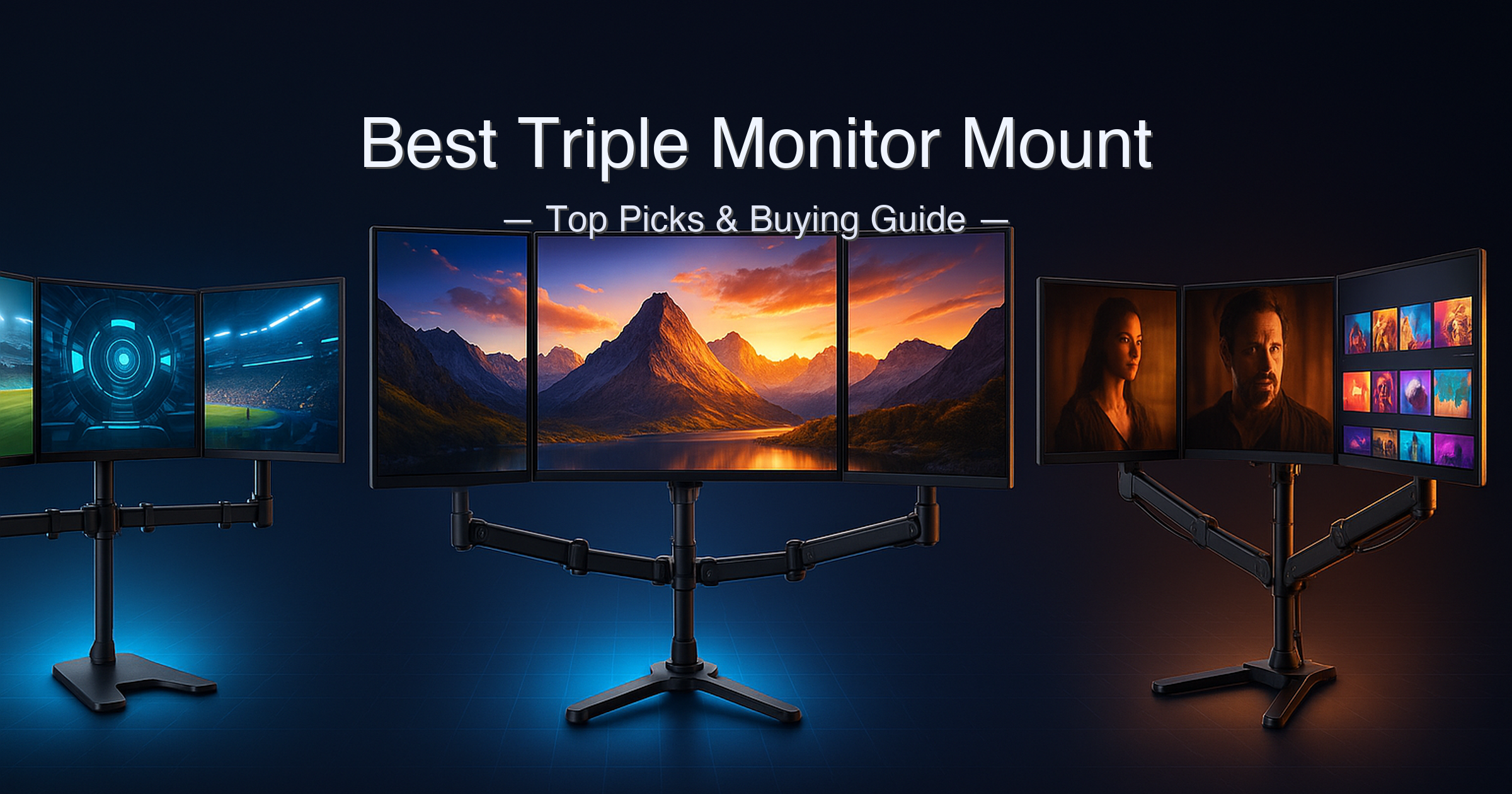
By Joe Botrous · 9 min read
FlexiViews is a participant in the Amazon Services LLC Associates Program. As an Amazon Associate, we may earn from qualifying purchases at no extra cost to you. Read our full affiliate disclosure.
Key Takeaways
- Best Overall: Mount-It! MI-2753 — gas spring + USB-A/C, fits 13–32″ up to 17.6 lbs per arm, around $150.
- Best for 32″ Screens: HUANUO HNTS3B — full gas spring articulation, clamp + grommet base, around $120.
- Best for Ultrawide: VIVO STAND-V300D — pneumatic arms, fits 49″ center / 38″ sides, 44 lbs per arm.
- Best Value Gas Spring: MOUNTUP MU0006 — gas spring up to 27″, around $120.
- Best Budget: WALI M003S — fixed/mechanical arms, 13–27″, 22 lbs per arm, under $60.
Three monitors, one desk, zero regrets — until you realize your mount wobbles every time you touch a keyboard. After spending time across community forums and spec sheets, one complaint keeps surfacing: “I wish I’d just spent more on the gas spring version from the start.” Another common warning: “Check your desk thickness before you order — I had to return mine twice.” Both are avoidable if you know what to look for.
This guide covers the best triple monitor mount options from every price tier — from a bolt-and-forget budget bracket to a pneumatic arm that handles two 38-inch ultrawides and a 49-inch center screen. We verified specs directly from manufacturer pages, flagged real desk-thickness limits, and separated marketing claims from what the mount actually does.
Quick answer: The Mount-It! gas spring triple monitor mount is the best triple monitor mount for most buyers — it combines gas spring arms, built-in USB-A and USB-C ports, and a lifetime warranty for screens up to 32 inches. The HUANUO HNTS3B is the runner-up with an up-to-5-year warranty and aerospace-grade aluminum. For ultrawide screens up to 49 inches, the VIVO STAND-V300D is the only option on this list that can handle them.
What we evaluated:
- Screen size compatibility (max screen size per arm, confirmed from manufacturer pages)
- Weight capacity per arm (the spec Amazon listings most often exaggerate)
- Arm mechanism: gas spring (counterbalanced) vs fixed/mechanical (no counterbalance)
- Desk thickness compatibility for both C-clamp and grommet mounting
- Included features: USB ports, cable management, quick-release VESA plates
- Warranty duration (verified from manufacturer warranty pages)
Specs verified against manufacturer product pages and independent reviews. Price tiers are approximate at time of writing — check current Amazon pricing via product links.
Table of Contents
- Quick Picks
- Specs at a Glance
- How We Chose
- 1. Mount-It! Triple Monitor Mount — Best Overall
- 2. HUANUO HNTS3B — Best for 32-Inch Screens
- 3. VIVO STAND-V300D — Best for Ultrawide Screens
- 4. MOUNTUP MU0006 — Best Value Gas Spring
- 5. WALI M003S — Best Budget
- Side-by-Side Comparison
- Buying Guide
- Gas Spring vs Fixed Arm: Which Should You Buy?
- FAQ
- Final Verdict
Quick Picks
| # | Product | Best For | Max Screen Size | Arm Type | Score | Price Tier |
|---|---|---|---|---|---|---|
| 1 | Mount-It! Gas Spring Triple Mount | Best Overall | 32″ | Gas Spring + USB-A/C | 9.4/10 | Around $150 |
| 2 | HUANUO HNTS3B | Best for 32″ Screens | 32″ | Gas Spring | 9.1/10 | Around $120 |
| 3 | VIVO STAND-V300D | Best for Ultrawide | 49″ center / 38″ sides | Pneumatic Gas Spring | 8.8/10 | Around $180 |
| 4 | MOUNTUP MU0006 | Best Value Gas Spring | 27″ | Gas Spring | 8.3/10 | Around $120 |
| 5 | WALI M003S | Best Budget | 27″ | Fixed / Mechanical | 7.7/10 | Under $60 |
Specs at a Glance
| Spec | Mount-It! (B0FPHGNNRH) | HUANUO HNTS3B (B084RF63FK) | VIVO STAND-V300D (B0DFFNMPJJ) | MOUNTUP MU0006 (B07Z7ZWC6S) | WALI M003S (B07GBL3PN3) |
|---|---|---|---|---|---|
| Max Screen Size | 32″ | 32″ | 49″ (center) / 38″ (sides) | 27″ | 27″ |
| Weight Per Arm | Up to 17.6 lbs | 4.4–17.6 lbs | 5.5–44 lbs | 4.4–19.8 lbs | Up to 22 lbs |
| Arm Mechanism | Gas Spring | Gas Spring (aluminum) | Pneumatic / Gas Spring | Gas Spring | Fixed / Mechanical |
| VESA Compatibility | 75×75 / 100×100mm | 75×75 / 100×100mm | 75×75 / 100×100mm | 75×75 / 100×100mm | 75×75 / 100×100mm |
| C-Clamp Desk Thickness | 0–3.3″ | 0.39–3.15″ | Up to 2″ ⚠️ | 0.39–3.15″ | Up to 3.5″ |
| Grommet Mount | 1–2.4″ opening | 0.39–2.36″ | 0.4–1.6″ ⚠️ | 0.39–1.97″ | Up to 3″ |
| USB Ports | USB-A + USB-C | None | None | None | None |
| Warranty | Lifetime | Up to 5 Years | ⚠️ Not specified on manufacturer page | 3 Years | ⚠️ Not explicitly stated |
| Material | Aluminum | Aerospace-Grade Aluminum | Cast Aluminum | Heavy-Gauge Steel | High-Grade Material (steel) |
⚠️ VIVO STAND-V300D desk clamp: fits desktops up to 2″ thick (C-clamp) or 1.6″ (grommet) — narrower than most competitors. Verify your desk thickness before ordering. ⚠️ VIVO and WALI warranty durations were not explicitly stated on their manufacturer product pages at time of research; contact brands directly for warranty terms. ⚠️ WALI M003S uses a fixed/mechanical arm mechanism — no gas spring counterbalancing; height adjustment requires loosening bolts manually.
How We Chose the Best Triple Monitor Mount
- Spec verification from manufacturer pages first — Amazon listings frequently overstate load capacity or omit desk thickness limits. We cross-checked every critical spec directly with manufacturer product pages (walielectric.com, mountup.com, huanuo.com, mount-it.com, vivo-us.com).
- Arm mechanism transparency — gas spring vs fixed/mechanical is the most consequential decision in this category. We flagged every product’s mechanism explicitly so you aren’t surprised post-installation.
- Desk thickness compatibility — a major return driver. We captured both C-clamp and grommet limits per product. If you have a thick or reinforced desk, this table matters.
- Warranty and long-term value — lifetime (Mount-It!), up to 5-year (HUANUO), and 3-year (MOUNTUP) warranties are meaningful differentiators in hardware you’ll keep for years. We verified each directly from manufacturer warranty pages.
1. Mount-It! Triple Monitor Mount — Best Triple Monitor Mount Overall
View Mount-It! Triple Monitor Mount on Amazon
Manufacturer reference: Mount-It! MI-2753 product page.
Quick Verdict: The only mount in this guide that combines gas spring arms, built-in USB-A and USB-C ports, and a lifetime warranty. If you’re running standard 13–32″ monitors and want a one-purchase solution that does not require an external USB hub nearby, this is it.
⭐⭐⭐⭐⭐ Score: 9.4 / 10
✅ Pros:
- Built-in USB-A and USB-C ports in the base — no separate hub required for charging devices at your desk
- Lifetime warranty — the longest coverage in this roundup by a significant margin
- Gas spring arms on all three arms allow fingertip repositioning without tools
- Fits screens from 13″ to 32″ — one of the widest compatibility ranges here
- Integrated cable management through the arms keeps cord runs invisible
❌ Cons:
- Grommet base only accepts desks with 1–2.4″ openings — narrower range than competitors
- 29″+ monitors positioned side-by-side may physically overlap depending on bezels and arm extension
- Heavier to ship; assembly can take 30–45 minutes for first-time installers
Key Specs
| Spec | Value |
|---|---|
| Screen Size | 13–32 inches |
| Weight Per Arm | Up to 17.6 lbs |
| Arm Mechanism | Gas Spring (all 3 arms) |
| VESA | 75×75mm and 100×100mm |
| C-Clamp Desk Thickness | 0–3.3 inches |
| Grommet Base | 1–2.4 inch opening |
| USB Ports | USB-A + USB-C (built into base) |
| Cable Management | Integrated through arms |
| Tilt / Swivel / Rotation | Full motion (tilt, swivel, 360° rotation) |
| Warranty | Lifetime |
The USB Hub You Didn’t Know You Needed
The USB-A and USB-C ports in the base are pass-through ports — they connect to your PC via included cables routed through the arm. They are not a powered USB hub on their own; your PC provides the power. What they do eliminate is the usual desk-clutter problem of external USB hubs taking up surface space or dangling off the back of monitors. For traders, coders, and anyone constantly connecting phones or peripherals, front-facing ports at the base of a mount are genuinely useful. If you need a more powerful hub solution, see our best USB hubs guide.
The gas spring mechanism on all three arms means you adjust screens with one finger — raise, lower, tilt, push back — and they stay where you leave them. No hex keys required post-installation. This is the core reason the Mount-It! earns the top spot: gas spring quality combined with the USB convenience and a lifetime warranty creates a combination no other mount in this guide matches.
One fair caveat from user feedback: 29-inch or larger monitors positioned right next to each other may physically touch bezels depending on arm extension angle. If you plan a panoramic curved array with very large monitors, test your measurements first before committing the mount to your desk.
Joe’s Take: Mount-It! gets this right in a way few competitors have bothered to address: front-facing USB ports on a monitor mount base is one of those ideas that seems obvious once you see it. I’ve been routing cables to rear USB hubs for years, and seeing a clean, tool-free pass-through built into the arm structure is a real quality-of-life win. The lifetime warranty is also not a gimmick — Mount-It! is a US-based operation that stands behind its products.
If you’re buying one triple monitor mount and you want it to be the last one you ever buy, this is the one. Score: 9.4/10.
Buy this if: You want gas spring arms, front-facing USB ports, and a mount you’ll never have to replace.
Skip this if: Your desk grommet hole doesn’t fall in the 1–2.4″ range, or you’re running monitors larger than 32″.
➡️ Check current price of the Mount-It! Triple Monitor Mount on Amazon
2. HUANUO HNTS3B Triple Monitor Mount — Best for 32-Inch Screens
Quick Verdict: Aerospace-grade aluminum construction, gas spring arms rated to 20,000 lift cycles, and an up-to-5-year warranty make the HUANUO HNTS3B the best-built mount in this guide for users with 17–32″ screens. No USB ports, but the build quality and warranty coverage compensate for that absence at its price tier.
⭐⭐⭐⭐⭐ Score: 9.1 / 10
✅ Pros:
- Aerospace-grade aluminum construction — noticeably more rigid than steel-and-plastic budget competitors
- Gas spring arms tested to 20,000 lift cycles — roughly 10+ years of daily adjustments before degradation
- Up to 5-year warranty — second-longest in this roundup, confirmed directly from HUANUO’s warranty page
- Supports 17–32″ monitors including curved displays up to 17.6 lbs each
- C-clamp and grommet mounting both included in the box
❌ Cons:
- No built-in USB ports — you’ll need a separate hub if desk-level connections matter
- Gas spring tension requires fine-tuning at first; can be fiddly before you find the right adjustment per monitor weight
- Minimum monitor weight of 4.4 lbs — very light monitors (thin bezels, small screens) may not maintain position reliably
Key Specs
| Spec | Value |
|---|---|
| Screen Size Range | 17–32 inches |
| Weight Per Arm | 4.4–17.6 lbs |
| Arm Mechanism | Gas Spring (aerospace-grade aluminum) |
| VESA | 75×75mm and 100×100mm |
| C-Clamp Desk Thickness | 0.39–3.15 inches |
| Grommet Mount | 0.39–2.36 inch desk thickness |
| USB Ports | None |
| Gas Spring Cycle Rating | 20,000 lift cycles |
| Tilt / Swivel / Rotation | Full motion gas spring (swivel, tilt, 360° rotation) |
| Warranty | Up to 5 Years |
Build Quality and Long-Term Value
The difference between “aerospace-grade aluminum” and standard steel is most apparent in two places: weight distribution under load and resistance to arm drift over time. The HUANUO HNTS3B’s arms hold position without gradually creeping downward the way cheaper spring mechanisms do. That 20,000 lift-cycle gas spring test, confirmed on the HUANUO product page, translates to roughly 10–15 years of daily adjustments before the spring degrades meaningfully.
At around $120, the HNTS3B sits in a comfortable middle tier — more capable than the budget WALI and MOUNTUP brackets, but without the USB convenience premium of the Mount-It!. The 5-year warranty is the longest in this guide after the Mount-It!’s lifetime coverage, and it’s backed by a US-based support team reachable by phone at 1-800-556-0533. For users who want durability and reassurance without paying for USB ports they won’t use, this is the smarter buy.
One legitimate limitation: gas spring tension adjustment on the HNTS3B requires some patience when first installing. Each arm has an adjustment bolt, and getting all three arms balanced to your specific monitor weights takes 10–15 minutes of tweaking. Read the manual before you start.
Joe’s Take: I’ve seen a lot of budget monitor mounts that feel solid on day one and start drifting by month three. The HUANUO’s aerospace aluminum construction and 20,000-cycle gas spring spec tell a different story — this mount is built to stay calibrated. The 5-year warranty backs that up. The absence of USB ports knocks it down from #1, but if you already have a USB hub situation sorted, this is arguably the best-built mount in the guide. Score: 9.1/10.
Buy this if: You want maximum build quality and long warranty coverage for 17–32″ monitors without paying for USB port features you don’t need.
Skip this if: You need built-in USB access at desk level, or you run monitors lighter than 4.4 lbs each.
➡️ Check current price of the HUANUO HNTS3B on Amazon
3. VIVO STAND-V300D — Best Triple Monitor Mount for Ultrawide Screens
View VIVO STAND-V300D on Amazon
Quick Verdict: The only mount in this guide engineered specifically for ultrawide screens — one 49″ center display plus two 38″ side displays, each arm rated to 44 lbs. Cast aluminum construction with pneumatic height adjustment. The desk clamp limit of 2″ is the one spec to verify before ordering.
⭐⭐⭐⭐½ Score: 8.8 / 10
✅ Pros:
- Designed explicitly for ultrawide screens — supports one 49″ (center) and two 38″ (sides) with 75×75 or 100×100mm VESA
- 44 lbs per arm capacity — the highest weight rating in this roundup and handles even the heaviest ultrawide monitors
- Cast aluminum construction across base and all arms for maximum rigidity
- Pneumatic height adjustment means touch-of-a-hand repositioning even under 44 lbs of screen weight
- High-capacity tilt joints specifically engineered to prevent sag under heavy screen loads
❌ Cons:
- C-clamp max desk thickness of 2″ is the tightest in this guide — many standing desks and thicker solid-wood desks won’t qualify ⚠️
- Minimum screen size of 24″ — cannot mix in smaller monitors on side arms
- No built-in USB ports or cable management channels
- Warranty duration not explicitly confirmed on the VIVO manufacturer product page — contact VIVO directly for warranty terms
Key Specs
| Spec | Value |
|---|---|
| Screen Size (Center) | Up to 49″ ultrawide |
| Screen Size (Side Arms) | Up to 38″ ultrawide each |
| Minimum Screen Size | 24 inches |
| Weight Per Arm | 5.5–44 lbs (total 132 lbs) |
| Arm Mechanism | Pneumatic Gas Spring |
| VESA | 75×75mm and 100×100mm |
| C-Clamp Desk Thickness | Up to 2″ ⚠️ |
| Grommet Mount | 0.4–1.6 inch desk thickness ⚠️ |
| Tilt | +55° to -25° |
| Swivel / Rotation | 180° swivel, 360° rotation |
| Material | Heavy-Duty Cast Aluminum |
| Warranty | ⚠️ Not confirmed on manufacturer page |
Who This Mount Is Actually For
The VIVO STAND-V300D is a niche-specific tool, not a general-purpose triple monitor mount. If you’re running a sim racing rig with three ultrawide curved displays, a professional video editing station with wide color-accurate panels, or a trading desk with 38″+ screens on each arm, this is the only mount in this guide capable of handling that load safely. The pneumatic arm system counterbalances the full 44 lbs per arm so you can reposition a massive screen with one finger.
The 2″ C-clamp limit is a real constraint. Most IKEA desktops (like LINNMON) are 0.9″ thick and will work. Solid hardwood butcher-block desktops (typically 1.5″–2″) are near the edge. Desks with integrated reinforcement bars, drawer frames, or composite layers above 2″ will not work with the clamp — grommet mounting is your only option, and the VIVO’s grommet limit is also tight at 1.6″. Verify your desk before ordering. For context on how this compares, see the VIVO STAND-V300D product page.
For standard 27″ or 32″ monitors, the VIVO is overkill — its arms are stiff at lower weights (minimum 5.5 lbs per arm), and the lack of USB ports and tighter desk thickness range mean better options exist at lower price points. But for ultrawide users who’ve been told “no mount can hold three of those screens” — this one can.
Joe’s Take: The STAND-V300D solves a problem that most triple monitor mounts pretend doesn’t exist: what do you do when you have three ultrawides? Every other mount on this list gives you warnings like “not compatible with screens over 32 inches.” The VIVO just holds them — up to 44 lbs each, pneumatically balanced, cast aluminum. The 2″ desk clamp limit is the one spec that will turn away a significant portion of buyers, and that’s a real limitation worth knowing upfront. For ultrawide users who pass that test, it earns its price. Score: 8.8/10.
Buy this if: You’re running 38″–49″ ultrawide monitors and need a mount rated to handle the weight safely.
Skip this if: Your desk is thicker than 2″, you run standard 27″/32″ monitors, or you need USB port access.
➡️ Check current price of the VIVO STAND-V300D on Amazon
4. MOUNTUP MU0006 Triple Monitor Mount — Best Value Gas Spring
Quick Verdict: Gas spring arms, 3-year warranty, and compatibility with curved monitors up to 27″ — all for well under $70. The MOUNTUP MU0006 is where you go when you want the performance of a gas spring arm without the price premium. Screen size is the ceiling: if you need 32″, step up to the HUANUO or Mount-It!.
⭐⭐⭐⭐☆ Score: 8.3 / 10
✅ Pros:
- Gas spring arms on all three positions — smooth repositioning without tools at a below-under $100 price point
- 3-year warranty backed by MOUNTUP’s manufacturer support — confirmed on MOUNTUP’s product page
- Supports flat and curved monitors up to 27″ — compatible with common 24″ and 27″ curved gaming setups
- C-clamp works up to 3.15″ desk thickness — accommodates most standing desk frames
- Quick-release VESA plates simplify adding or swapping monitors
❌ Cons:
- 27″ maximum screen size — anyone with 32″ monitors needs a different mount
- Gas spring pre-set to medium tension at factory — requires adjustment per your monitor weight before reliable use
- Heavy-gauge steel (not aluminum) — heavier to assemble, and the clamp area can leave minor marks on soft desk edges without a pad
Key Specs
| Spec | Value |
|---|---|
| Screen Size Range | Up to 27 inches (flat or curved) |
| Weight Per Arm | 4.4–19.8 lbs |
| Arm Mechanism | Gas Spring |
| VESA | 75×75mm and 100×100mm |
| C-Clamp Desk Thickness | 0.39–3.15 inches |
| Grommet Mount | 0.39–1.97 inches |
| Tilt / Swivel / Rotation | ±35° tilt, ±90° swivel, 360° rotation |
| Extension | 58.9 inches total wingspan |
| Height Adjustment | 11.45 inches |
| Warranty | 3 Years |
Value vs. Limitations
The MOUNTUP MU0006 is the strongest argument for “just get a gas spring arm” without breaking the budget. At this price tier, most competitors use fixed/mechanical arm designs that require loosening bolts to reposition monitors. The MOUNTUP delivers genuine gas spring behavior — lift a monitor, move it, release it, and it stays put — at a price that undercuts most gas spring options by under $50–50.
The 27″ screen ceiling is the honest limitation. If you’re upgrading to 32″ monitors at any point in the next two years, account for that now and spend up to the HUANUO instead. But for three matching 24″ or 27″ panels — the most common home office setup — the MOUNTUP is genuinely excellent hardware that comes with a 3-year warranty you can actually use.
One factory setting worth knowing: MOUNTUP ships the gas spring arms pre-adjusted to medium tension. This is fine for monitors in the 12–15 lb range, but lighter or heavier displays will feel either too stiff or too loose on first use. The adjustment process (a tension bolt near each arm joint) takes about 5 minutes once you know where to look — the manual shows it clearly.
Joe’s Take: If you told me you had three 27″ monitors and a budget under $70, I’d send you to the MOUNTUP without hesitation. It does what a gas spring arm should do, the 3-year warranty gives you real recourse if something fails, and the quick-release VESA plates make adding monitors straightforward. The 27″ ceiling and factory tension adjustment are real caveats, not deal-breakers — just things to know before you install. Score: 8.3/10.
Buy this if: You have three 27″ or smaller monitors and want gas spring performance without the premium price.
Skip this if: Any of your monitors exceed 27 inches, or you need 32″ compatibility now or in the future.
➡️ Check current price of the MOUNTUP MU0006 on Amazon
5. WALI M003S Triple Monitor Mount — Best Budget Triple Monitor Mount
Manufacturer reference: WALI M003S product page.
Quick Verdict: The lowest-cost entry point for a best triple monitor mount setup — fixed/mechanical arms, 22 lbs per arm capacity, and monitors up to 27″. No gas spring means repositioning requires loosening bolts. Serviceable for a set-it-and-leave-it arrangement; a poor fit if you want to adjust monitor angles daily.
⭐⭐⭐⭐☆ Score: 7.7 / 10
✅ Pros:
- The most affordable triple monitor mount in this roundup — meaningful savings for budget-constrained setups
- 22 lbs per arm weight capacity — the highest fixed-arm capacity in this guide, handles heavier monitors within the 27″ ceiling
- C-clamp fits desks up to 3.5″ thick — works with thick standing desks that some competitors cannot clamp
- US-based customer support available 7 days a week per WALI
- Side arms extend, retract, tilt, and rotate — reasonable adjustability for a fixed-arm design
❌ Cons:
- Fixed/mechanical arm — no gas spring. Repositioning monitors requires manually loosening and re-tightening bolts
- Maximum screen size is 27″ — cannot accommodate 32″ displays
- No built-in USB ports or cable management channels
- Warranty duration not explicitly confirmed on the WALI manufacturer product page at time of research
Key Specs
| Spec | Value |
|---|---|
| Screen Size Range | 13–27 inches |
| Weight Per Arm | Up to 22 lbs |
| Arm Mechanism | Fixed / Mechanical (no gas spring) |
| VESA | 75×75mm and 100×100mm |
| C-Clamp Desk Thickness | Up to 3.5 inches |
| Grommet Mount | Up to 3 inch desk |
| Tilt (Center) | ±15° |
| Tilt (Side Arms) | ±90° |
| Swivel | ±90° |
| Rotation | 360° |
| USB Ports | None |
| Warranty | ⚠️ Not confirmed on manufacturer page |
The Set-It-and-Leave-It Case
The WALI M003S earns its place in this guide for one specific buyer: someone who sets up three monitors in a fixed position and rarely adjusts them. If you mount your screens once, align them to your preferred angle, tighten the bolts, and don’t touch them again — the fixed-arm mechanism is not a real-world limitation. The 22 lbs per arm capacity is actually the highest per-arm rating for a fixed-arm design in this comparison, meaning it handles heavier-than-average monitors within the 27″ range without stability concerns.
Where the WALI falls short is for anyone who frequently adjusts their monitors — whether that means raising screens for standing desk use, pivoting to portrait mode for documents, or shifting angles for presentations. Every repositioning on the WALI requires a hex key. The MOUNTUP gas spring at a similar or slightly higher price tier avoids that entirely.
The 3.5″ C-clamp capacity is a legitimate advantage: it handles thicker composite desks and some standing desk frames that the VIVO and MOUNTUP cannot clamp. If your desk is genuinely thick and you’re on a strict budget with 27″ or smaller monitors, the WALI still gets three screens off your desk at a price nothing else here can match.
Joe’s Take: The WALI M003S is honest about what it is: a budget bracket. Fixed arm, no gas spring, 27″ ceiling. The cable routing is DIY, the warranty terms weren’t explicitly confirmed on the manufacturer’s site, and the center monitor tilt range of only ±15° is tight. But if three 24″ displays, a fixed layout, and the lowest possible spend is your reality, the WALI M003S gets it done. Just don’t buy it expecting the same adjustability experience as a gas spring arm. Score: 7.7/10.
Buy this if: You’re on a tight budget, running three monitors up to 27″, and plan a fixed, rarely-adjusted layout.
Skip this if: You have 32″ monitors, adjust your screens frequently, or want gas spring performance — spend up to the MOUNTUP instead.
➡️ Check current price of the WALI M003S on Amazon
Side-by-Side Comparison
| Mount | Max Screen | Warranty | USB Ports | Gas Spring | Desk Clamp Max | Standing Desk Friendly | Price Tier |
|---|---|---|---|---|---|---|---|
| Mount-It! (B0FPHGNNRH) | 32″ | Lifetime | USB-A + USB-C | Yes | 3.3″ | ✅ | Around $150 |
| HUANUO HNTS3B (B084RF63FK) | 32″ | Up to 5 Years | None | Yes | 3.15″ | ✅ | Around $120 |
| VIVO STAND-V300D (B0DFFNMPJJ) | 49″ (center) | ⚠️ Not confirmed | None | Yes (Pneumatic) | 2″ ⚠️ | ⚠️ Verify desk thickness | Around $180 |
| MOUNTUP MU0006 (B07Z7ZWC6S) | 27″ | 3 Years | None | Yes | 3.15″ | ✅ | Around $120 |
| WALI M003S (B07GBL3PN3) | 27″ | ⚠️ Not confirmed | None | No (Fixed) | 3.5″ | ✅ | Under $60 |
Buying Guide: How to Choose the Best Triple Monitor Mount
Gas Spring vs Fixed Arm — The Most Important Decision
Gas spring arms use a counterbalanced mechanism that holds monitor weight without constant tension — you lift a screen, position it, and release. It stays put without tightening any bolts. Fixed/mechanical arms require loosening a bolt to reposition, then retightening it. For a set-and-forget installation this difference is minor. For anyone who raises screens for standing desk work, pivots to portrait mode for code reviews, or adjusts angles daily, gas spring is not optional — it’s a necessity.
Three of the five mounts in this guide use gas spring; two (WALI and technically the VIVO uses pneumatic, which is equivalent) offer some form of spring-assisted adjustment.
Screen Size and Weight — Check Both
Every mount lists a maximum screen size in inches AND a weight range per arm. Both must match your monitors. A 32″ gaming monitor can weigh 18–22 lbs; a 27″ office IPS panel typically weighs 8–12 lbs. If your monitors fall below a mount’s minimum weight (common on gas spring mounts with a 4.4 lb floor), the arms will be too stiff and won’t hold position smoothly. If they exceed the maximum weight, the arm will sag or drift over time.
Desk Thickness — Measure Before You Order
C-clamp mounting requires a straight desk edge and an accurate thickness measurement. Most IKEA desks are 0.9″–1.2″ thick; solid wood and butcher block desks run 1.5″–2″; some standing desk frames with integrated cable trays or reinforcement bars add up to 3″–4″. The VIVO STAND-V300D’s 2″ maximum is the most restrictive in this guide. The WALI M003S’s 3.5″ maximum is the most permissive. If you’re using grommet mounting, measure the hole diameter — the VIVO’s 1.6″ maximum grommet limit will exclude most drilled holes wider than that.
VESA Compatibility
Every mount in this guide supports 75×75mm and 100×100mm VESA patterns — the two standards covering the vast majority of monitors sold in the last decade. Before purchasing, verify your specific monitor’s VESA pattern (found in the monitor’s spec sheet, not always on the Amazon listing). Some monitors — particularly budget models and all-in-ones — lack VESA holes entirely. A VESA adapter kit can resolve this but adds cost and reduces the stability ceiling.
Warranty Comparison
| Mount | Warranty | Notes |
|---|---|---|
| Mount-It! (B0FPHGNNRH) | Lifetime | Verified from Amazon listing; US-based specialist support |
| HUANUO HNTS3B (B084RF63FK) | Up to 5 Years | Verified from huanuo.com/pages/warranty-information; depends on product tier |
| MOUNTUP MU0006 (B07Z7ZWC6S) | 3 Years | Verified from mountup.com product page; includes 30-day money-back |
| VIVO STAND-V300D (B0DFFNMPJJ) | ⚠️ Not confirmed | Contact VIVO directly at help@vivo-us.com for terms |
| WALI M003S (B07GBL3PN3) | ⚠️ Not confirmed | WALI offers 7-day support; contact walielectric.com for warranty terms |
Price Tier and Value Logic
Around $120: Gas spring (MOUNTUP) or fixed arm (WALI) — both limited to 27″ screens. The MOUNTUP is the smarter buy if you can stretch the budget at all. The WALI makes sense only if budget is the strict constraint and your layout is fixed. Around $120–around $150: This is where the best triple monitor mounts live for most buyers. The HUANUO brings aerospace aluminum and a 5-year warranty; the Mount-It! adds USB ports and a lifetime warranty. Both support 32″ screens. Around $180+: Ultrawide territory.
The VIVO STAND-V300D is the only realistic option here for 38″–49″ screens, and it earns its price tier for that specific use case.
Gas Spring vs Fixed Arm Triple Monitor Mount: Which Should You Actually Buy?
This is the question most buying guides skip past, and it’s the one that generates the most buyer regret. Here’s the honest breakdown.
A gas spring triple monitor arm (HUANUO HNTS3B, MOUNTUP MU0006, Mount-It!) counterbalances your monitor’s weight using compressed gas. You lift the screen with one hand, it floats to any height, and stays there when you let go. Repositioning takes seconds. The tradeoff: gas spring arms require an initial tension calibration per monitor weight (a 5–10 minute one-time process), and they have a minimum weight threshold — monitors below 4.4 lbs may not sit stably on the lower-tension end of the range.
A fixed/mechanical arm (WALI M003S) locks position using bolt tension. Once you set it, it stays — even across desk moves, and without any minimum weight concern. The downside is that repositioning requires a hex key every time. For a perfectly static three-monitor setup that you install once and never touch, the fixed arm is not wrong. For a standing desk that changes height twice a day, or a monitor layout you adjust seasonally, the fixed arm will frustrate you within weeks.
The practical verdict: if your budget allows any flexibility, spend the extra cost to reach the MOUNTUP gas spring tier. The difference in daily usability is significant, and you’re also picking up a 3-year warranty in the process. The WALI is a legitimate tool — just a tool with a narrow use case. If you’re also thinking about adding smart monitors to your triple setup, see our best smart monitors guide for display recommendations that pair with these mounts.
FAQ — Best Triple Monitor Mount
Are triple monitor mounts worth it?
Yes — for most multi-monitor users, a triple monitor mount is worth the investment. A quality mount eliminates three individual factory stands from your desk, recovering significant surface area, and positions all screens at consistent eye level, which reduces neck strain during long sessions. The adjustability of gas spring arms also allows you to switch between portrait and landscape orientation without tools — something factory stands cannot do.
The main caveat is that you need a desk with an accessible edge (for C-clamp) or a drilled hole (for grommet), and the combined weight of mount plus three monitors (often 60–80 lbs total) requires a stable desk surface.
How much weight can a triple monitor mount hold?
Weight capacity varies significantly across the products in this guide. Standard triple monitor mounts hold 17.6–22 lbs per arm (covering most 24″–32″ monitors). The VIVO STAND-V300D holds up to 44 lbs per arm and 132 lbs total — necessary for heavy ultrawide displays. Always check both the per-arm maximum and minimum: gas spring arms have a floor weight (typically 4.4 lbs) below which they won’t hold position reliably. Weigh your monitor before purchasing or check your monitor’s spec sheet for the listed net weight.
What size monitors fit a triple monitor mount?
Most standard triple monitor mounts in this guide support screens from 13″ to 27″ or 13″ to 32″. The HUANUO HNTS3B and Mount-It! both go up to 32″ per arm. The VIVO STAND-V300D is purpose-built for ultrawides — it fits one 49″ center screen and two 38″ side screens, with a 24″ minimum. All five mounts require VESA mounting holes (75×75mm or 100×100mm) on the back of your monitors. Not all monitors have VESA holes — check your monitor’s specifications before ordering.
Is it hard to install a triple monitor mount?
For most people, installation takes 30–60 minutes and requires basic tools — typically included in the box. The process involves attaching the clamp or grommet base to your desk, assembling the pole and arms, attaching VESA plates to the back of each monitor, and then lifting monitors onto the quick-release brackets. The most common challenge is gas spring tension calibration — each arm needs adjustment to match your specific monitor weight. Reading the included manual before starting saves significant time. A second person to hold monitors while you attach them is helpful but not required.
What is the difference between a gas spring and fixed arm monitor mount?
A gas spring monitor arm uses compressed gas to counterbalance your monitor’s weight, allowing you to lift, lower, and reposition screens with one hand — no tools required. A fixed/mechanical arm locks position using bolt tension; repositioning requires loosening and retightening a hex bolt each time. Gas spring arms offer significantly better ergonomics for anyone who adjusts monitor height regularly (standing desk users, multi-task workers). Fixed arms work well for static setups that are installed once and rarely adjusted.
All gas spring arms have a weight minimum (typically 4.4 lbs) and maximum — check your monitor weight matches the range before purchasing.
Related FlexiViews Reads
- Best Programmable Keypads of 2026 — round out your productivity desk setup.
- Best Camera for Vlogging of 2026 — pair with your monitor stack for work-from-home video.
- Best USB Audio Interfaces of 2026 — clean audio for your triple-monitor workstation.
Final Verdict
Below are our five picks for the best triple monitor mount of 2026 — ranked by editorial score, with the strengths and trade-offs that matter most when you sit down to buy.
Mount-It! Triple Monitor Mount — Best Overall. Gas spring arms, built-in USB-A and USB-C ports, and a lifetime warranty for 13–32″ screens. The combination is unmatched at its price tier. Buy this if you want one mount that does everything.
HUANUO HNTS3B — Best for 32-Inch Screens. Aerospace-grade aluminum, 20,000-cycle gas spring arms, and an up-to-5-year warranty. No USB ports, but the build quality is the strongest in this roundup. Choose this if you prioritize long-term durability over convenience features.
VIVO STAND-V300D — Best for Ultrawide. The only mount here rated for 49″ center + 38″ side ultrawides at 44 lbs per arm. Verify desk thickness (2″ C-clamp max) before ordering. Non-negotiable choice for serious ultrawide setups.
MOUNTUP MU0006 — Best Value Gas Spring. Gas spring arms and a 3-year warranty under $70. Capped at 27″ screens, but the best bang-per-dollar in this category for standard monitor setups.
WALI M003S — Best Budget. Fixed/mechanical arms, 22 lbs per arm, 27″ maximum. Right for static layouts on a strict budget. Spend up to the MOUNTUP if you can — the gas spring difference is worth it in daily use.
Published: June 22, 2026

 Joe Botrous

Best Laser Projector For Home Theater 2026 — Ranked
[…] Best Triple Monitor Mount of 2026: Home Office, Gaming & Ultrawide Compared […]