


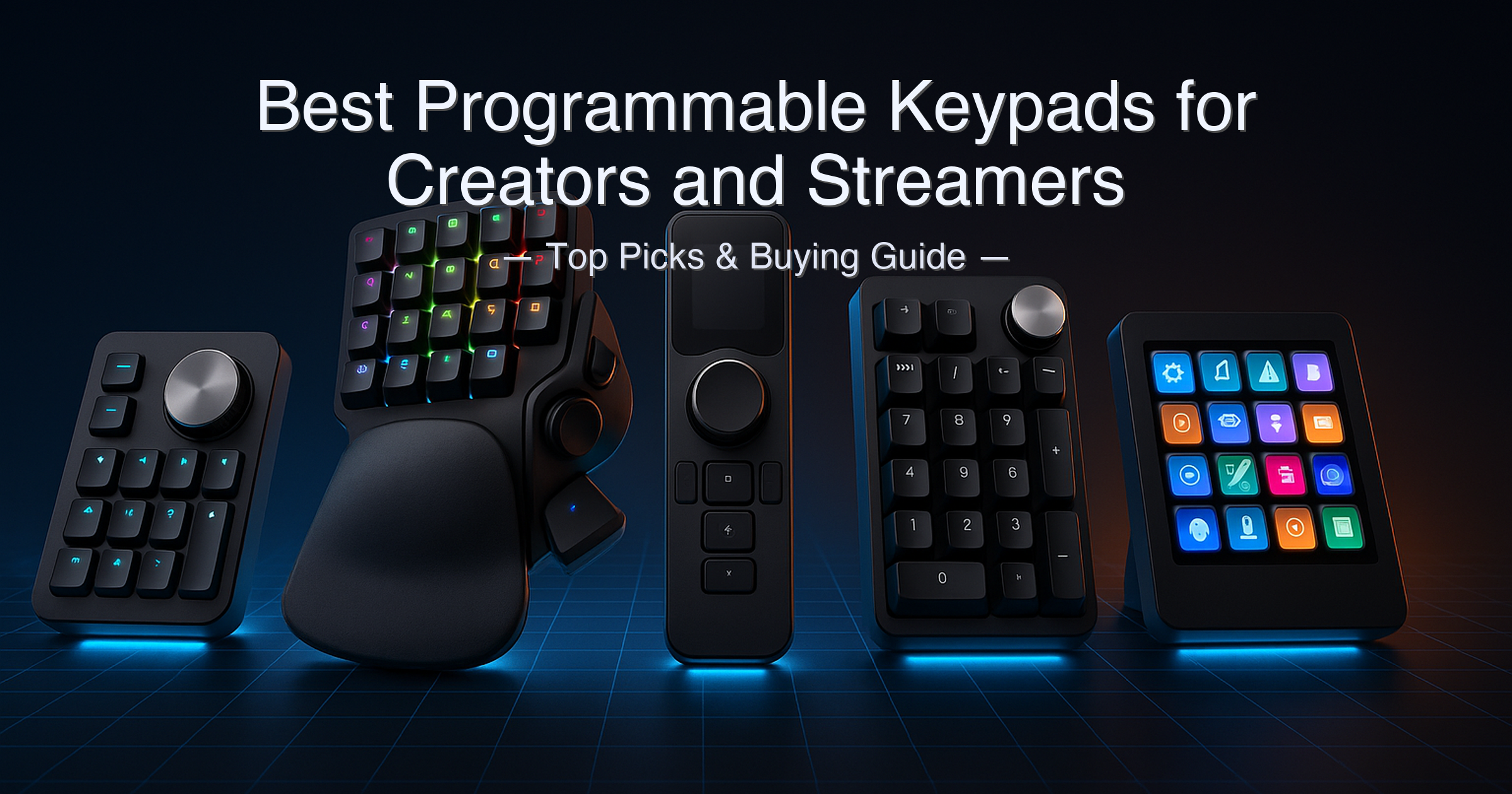
By Joe Botrous · Software Architect & CTO · Updated May 25, 2026 · 9-minute read
FlexiViews is a participant in the Amazon Services LLC Associates Program. As an Amazon Associate, we may earn from qualifying purchases at no extra cost to you. Read our full affiliate disclosure.
Most programmable keypads get reviewed in isolation — someone tests the Razer, someone else tests the Stream Deck, and you never get a direct comparison that tells you which one actually fits your workflow.
The honest answer Reddit has figured out: “The Stream Deck is useful for way more than streaming — I use it for video editing shortcuts.” And on the flip side: “Don’t buy the Razer just for the brand name — you give up wireless for no reason.” These are real buying decisions, and they hinge on details most roundups skip — like the fact that XENCELABS Quick Keys requires its own proprietary dongle (native Bluetooth won’t connect), or that Keychron Q0 Max drops from 1000 Hz to 90 Hz polling on Bluetooth.
After researching all five products against manufacturer spec pages and independent reviews, the best programmable keypads for creators and streamers in 2026 are not the ones with the most marketing muscle — they’re the ones that match your specific software workflow.
Quick answer: The Elgato Stream Deck MK.2 is the best programmable keypad for creators and streamers — its 15 LCD keys, massive plugin library, and drag-and-drop software work for streamers, video editors, and remote workers alike. For digital artists who need a dial and OLED key labels, the XENCELABS Quick Keys is the cleaner specialist pick. Budget buyers who skip the OLED display should look at the HUION Keydial Mini.
What we evaluated:
- Key count, key type, and layout (programmable keys vs LCD keys vs mechanical switches)
- Dial and rotary encoder support (functions assignable per application)
- Display technology (OLED per-key labels vs LCD vs no display)
- Wireless vs wired connectivity (dongle, Bluetooth version, polling rate)
- Software ecosystem (driver dependency, macro depth, application auto-switching)
- Build quality, portability, and weight
- Price tier and value against the competition
Research methodology: specifications cross-referenced against manufacturer product pages (Elgato, Xencelabs, Keychron, Razer, HUION), Razer’s official support FAQ, Tom’s Hardware, and Tom’s Guide independent reviews. Polling rate conditions, Bluetooth version differences, and software limitations are stated inline throughout.
Table of Contents
- Quick Picks at a Glance
- Specs at a Glance
- How We Chose
- 1. Elgato Stream Deck MK.2 — Best Overall
- 2. XENCELABS Quick Keys — Best for Digital Artists
- 3. Keychron Q0 Max — Best for Enthusiasts
- 4. Razer Tartarus V2 — Best for Gamers
- 5. HUION Keydial Mini — Best Budget Pick
- Side-by-Side Comparison
- Buying Guide
- Is a Stream Deck Worth It If You’re Not a Streamer?
- XENCELABS Quick Keys vs HUION Keydial Mini
- FAQ
- Final Verdict
Quick Picks — Best Programmable Keypads for Creators and Streamers
| # | Product | Best For | Key Count | Dial / Encoder | Score | Price Tier |
|---|---|---|---|---|---|---|
| 1 | Elgato Stream Deck MK.2 | Streamers & all-purpose creators | 15 LCD keys | No | 9.5/10 | around $150–around $150 |
| 2 | XENCELABS Quick Keys | Digital artists & photo/video editors | 8 keys × 5 sets (40 total) | Yes, 4 modes | 9.2/10 | under $100–around $150 |
| 3 | Keychron Q0 Max | Keyboard enthusiasts & power typists | 21 (numpad + macro column) | Yes, rotary encoder | 8.8/10 | around $150–around $150 |
| 4 | Razer Tartarus V2 | MMO & PC gamers | 32 mecha-membrane keys | No (scroll wheel only) | 8.3/10 | under $100–around $150 |
| 5 | HUION Keydial Mini | Budget-conscious creatives | 18 scissor-switch keys | Yes, 3 modes | 8.0/10 | Under $50 |
Specs at a Glance
| Product | Key Type | Total Keys | Display | Connectivity | Polling Rate | Battery / Power | Weight |
|---|---|---|---|---|---|---|---|
| Elgato Stream Deck MK.2 | Membrane LCD | 15 | Individual LCD per key | USB 2.0 (wired) | N/A (HID) | USB powered | 145 g (no stand) |
| XENCELABS Quick Keys | Physical buttons | 8 × 5 sets = 40 + 4 dial | OLED screen | Proprietary 2.4GHz dongle / USB-C wired | N/A | ~53 hr (1.5 hr charge) | Not published ⚠️ |
| Keychron Q0 Max | Hot-swap mechanical (MX) | 21 (numpad + macro col.) | None (RGB backlight) | 2.4GHz / BT 5.1 / USB-C | 1000 Hz (wired/2.4G); 90 Hz (BT) | 1800 mAh, ~50 hr | 684 g ±10 g |
| Razer Tartarus V2 | Mecha-membrane | 32 + 8-way D-pad | None (Chroma RGB) | USB-A wired only | 1000 Hz | USB powered | 684 g |
| HUION Keydial Mini | Scissor switch | 18 | None (Setting Preview pop-up) | Bluetooth 5.0 (wireless) | N/A | 1200 mAh, ~70 hr (3.6 hr charge) | Not published ⚠️ |
⚠️ XENCELABS Quick Keys and HUION Keydial Mini weight figures not published by manufacturer at time of writing; confirmed compact/portable form factors from product pages. Keychron Q0 Max Bluetooth polling rate confirmed at 90 Hz vs 1000 Hz in wired/2.4GHz mode — a meaningful difference for fast-input tasks. XENCELABS Quick Keys requires the proprietary wireless dongle; native Bluetooth pairing is not supported per Xencelabs official product page.
How We Chose the Best Programmable Keypads for Creators and Streamers
- Software ecosystem depth — a keypad is only as good as what its software can do. We evaluated whether each device supports application-specific profiles, macro scripting, plugin ecosystems, and on-device key labeling.
- Honest connectivity assessment — we flagged wired-only devices, polling rate changes across wireless modes, and dongle requirements that most guides ignore.
- Use-case fit over spec sheet wins — the highest key count doesn’t win if the software is locked to one application. We matched each device to the workflow it genuinely serves best.
- Value across price tiers — this guide spans under-under $100 to around $150, and we assessed whether the premium asked at each tier is justified by real capability differences.
1. Elgato Stream Deck MK.2 — Best Programmable Keypad for Creators and Streamers Overall
View the Elgato Stream Deck MK.2 on Amazon
Quick Verdict: The Stream Deck MK.2 earns its place as the best all-purpose programmable keypad because its software is genuinely the most powerful in this category — with hundreds of plugins, drag-and-drop key configuration, and seamless integration across OBS, Premiere Pro, Twitch, Spotify, Discord, and dozens more. The 15 LCD keys each display a custom icon or animation, so you never fumble for the right button. The trade-off is the wired USB-only connection and membrane keys that lack tactile feedback.
⭐⭐⭐⭐⭐ Score: 9.5 / 10
✅ Pros:
- 15 individual LCD keys each display a fully customizable icon, GIF, or animation — you always know exactly what each key does
- Massive plugin library covering OBS, Twitch, YouTube, Spotify, Discord, Philips Hue, Zoom, DaVinci Resolve, and hundreds more
- Drag-and-drop key configuration with no scripting knowledge required — setup takes minutes, not hours
- Nested folders give you unlimited virtual key pages from just 15 physical keys
- Removable faceplate lets you customize the physical appearance; interchangeable covers sold separately
- Highest Amazon star rating in this guide: 4.8 / 5 across 10,028 reviews — rare at any price tier
❌ Cons:
- Wired USB 2.0 only — no Bluetooth, no wireless option on the MK.2
- Membrane keys have a soft, mushy feel with no tactile bump — not satisfying for mechanical keyboard users
- No built-in dial or rotary encoder — audio producers who want knob-based control need the Stream Deck+ instead
Key Specs
| Spec | Value |
|---|---|
| Keys | 15 customizable LCD keys (membrane switches) |
| Display | Individual LCD screen per key |
| Connectivity | USB 2.0 (wired only) |
| Dimensions | 118 × 84 × 25 mm (without stand) |
| Weight | 145 g without stand / 270 g with stand |
| OS Support | Windows 10 (64-bit) or newer; macOS 10.15 Catalina or newer |
| Software | Stream Deck app (free) — drag-and-drop, plugin marketplace |
| Warranty | 2 years (Corsair/Elgato) |
| Dial / Encoder | None on MK.2 |
| Key Logic | Single-press, double-press, or press-and-hold per key |
Who It’s For
The Stream Deck MK.2 is the right choice if your workflow touches multiple software tools and you want a device that handles them all from one surface. Streamers get scene switches, alert triggers, and social media posts in a single key press. Video editors get custom OBS and Premiere shortcuts arranged visually. Remote workers get Zoom mute, Teams raise-hand, and calendar launches mapped to individual keys. The LCD screens are the killer feature — because every key tells you its current function, you can build dozens of layouts across different apps without memorizing anything.
The Stream Deck software’s plugin ecosystem is genuinely in a different league from every other device in this guide. Third-party developers have built integrations for everything from Elgato lighting control to Twitch subscriber alerts to DaVinci Resolve color grade shortcuts. If you’re in the Elgato hardware ecosystem (4K capture cards, lighting), the integration is particularly tight. The wired-only limitation matters less once it’s sitting on your desk permanently, but if you work at a laptop that moves around, you’ll feel the cable.
Joe’s Take: After 30 years in tech, I’ve seen a lot of “macro keyboard” solutions come and go. The Stream Deck MK.2 is the one that actually stuck in professional environments — not because of the hardware, but because the software is maintained, updated regularly, and has a real developer community behind it. The 9.5 score reflects that: the hardware is good, not exceptional, but the software package around it is the best in this guide by a wide margin.
The wired-only design is a genuine limitation — but for a desk device that lives in a fixed position, it rarely matters in practice.
Buy this if: You want an all-purpose shortcut controller that works across streaming, video editing, productivity, and home automation with minimal setup effort.
Skip this if: You need wireless, a physical dial for audio/brush control, or mechanical key feel.
➡️ Check current price on Amazon — Elgato Stream Deck MK.2
2. XENCELABS Quick Keys — Best Programmable Keypad for Digital Artists
View the XENCELABS Quick Keys on Amazon
Quick Verdict: The XENCELABS Quick Keys is the most thoughtfully designed shortcut remote for digital artists in this guide — the OLED display shows what each key does in real time, the dial covers zoom, brush size, canvas rotation, and timeline scrubbing, and it rotates into four orientations for left or right-hand use. It has one hard ceiling: no macro scripting or multi-step automation. If you need complex macros beyond simple shortcut combinations, look elsewhere.
⭐⭐⭐⭐⭐ Score: 9.2 / 10
✅ Pros:
- OLED display shows the current shortcut label for every key at a glance — no memorization required
- 44 total shortcuts per application: 8 keys × 5 sets plus 4 dial modes, all auto-switching when you change software
- Four orientation modes (0°/90°/180°/270°) accommodate both left-handed and right-handed artists
- Proprietary 2.4GHz wireless dongle delivers a faster, more stable connection than standard Bluetooth in crowded environments
- ~53-hour battery life from a 1.5-hour charge — exceptional for wireless creative tools
- Linux support included — rare among creative peripherals at this tier
❌ Cons:
- No macro scripting, no multi-step automation, and no third-party plugin integration — confirmed by Xencelabs official FAQ
- Requires the included proprietary dongle — native Bluetooth pairing does not work
- Driver installation is mandatory; won’t function as a plug-and-play device
Key Specs
| Spec | Value |
|---|---|
| Keys | 8 physical keys × 5 sets = 40 shortcuts per application |
| Dial modes | 4 programmable modes (zoom, brush size, canvas rotation, timeline) |
| Total shortcuts/app | 44 (40 key + 4 dial) |
| Display | OLED screen showing per-key shortcut labels |
| Connectivity | Proprietary 2.4GHz dongle; USB-C wired |
| Battery | ~53 hr continuous use; ~1.5 hr full charge |
| OS Support | Windows 7+, macOS 10.13+, Linux |
| Software | Xencelabs Driver (required) |
| Macro scripting | Not supported — shortcut combinations only |
| Orientation | 4 positions (0°/90°/180°/270°) |
The OLED Advantage — and Its Limit
The OLED screen is what separates the Xencelabs Quick Keys from every other device in this guide — including the more expensive Stream Deck. Each of the 8 keys displays its current shortcut label directly on the device, and the labels change automatically when you switch applications. A Photoshop layer flip looks like “Flip H” on the key; when you switch to Premiere, the same key shows “Ripple Delete.” There’s no overlay software, no printed sticker legend, no mental mapping required.
The dial is equally well-executed for creative work. Four programmable modes — zoom, brush size, canvas rotation, and timeline scrub — cover the core motions digital artists and video editors repeat hundreds of times per session. The color LED ring on the dial changes color by mode so you always know which function is active without looking at the screen.
The hard limitation is the software ceiling. Xencelabs confirmed in their official FAQ that Quick Keys does not support macro commands, script automation, or third-party plugin integration. You can assign keyboard shortcut combinations (e.g., Ctrl+Z, Cmd+Option+Z) but you cannot build multi-step sequences, trigger application launches, or create conditional logic. For pure creative shortcut work, this isn’t a problem. For power users who want Stream Deck-style automation, it is a deal-breaker.
Joe’s Take: The 9.2 score reflects a genuinely excellent specialist tool with one well-defined ceiling. If your workflow is Photoshop, Lightroom, Premiere, DaVinci Resolve, Clip Studio Paint, or similar creative apps — and you want OLED key labels so you stop guessing which shortcut is where — the Xencelabs Quick Keys is the cleanest solution in this guide. The dongle requirement trips up first-time buyers (“I wish I’d known it needs its own dongle, not native Bluetooth”), so keep the included USB receiver plugged in. Don’t buy it expecting Stream Deck-style macro power; it was never built for that.
Buy this if: You’re a digital artist, photographer, or video editor who wants OLED key labels, a creative dial, and wireless reliability in a portable package.
Skip this if: You need macro scripting, application launch triggers, or a plugin ecosystem beyond basic shortcut assignment.
➡️ Check current price on Amazon — XENCELABS Quick Keys
3. Keychron Q0 Max — Best Programmable Keypad for Keyboard Enthusiasts
View the Keychron Q0 Max on Amazon
Quick Verdict: The Keychron Q0 Max is the only device in this guide built like a premium mechanical keyboard rather than a peripheral accessory — CNC-machined 6063 aluminum, double-gasket design, hot-swappable MX switches, and QMK/VIA firmware for deep open-source customization. It’s a genuine numpad that doubles as a macro pad with a rotary encoder. The trade-off: Bluetooth polling drops from 1000 Hz to 90 Hz, and at 684 g it’s the heaviest device here by far.
⭐⭐⭐⭐½ Score: 8.8 / 10
✅ Pros:
- CNC-machined 6063 aluminum body with double-gasket design and IXPE/PET/Latex acoustic foam layering — build quality is exceptional at this price tier
- QMK/VIA open-source firmware — remap any key to any function, create unlimited macro layers, program via the Keychron Launcher web app without downloading software
- Hot-swappable PCB supports 3-pin and 5-pin MX switches — swap to any Cherry, Gateron, Kailh, or Panda switch without soldering
- Tri-mode connectivity: 2.4GHz (1000 Hz), Bluetooth 5.1 (90 Hz), USB-C wired (1000 Hz)
- 1800 mAh battery delivers up to 50 hours at lowest brightness — per Keychron’s official product page
- Rotary encoder knob programmable for volume, zoom, brush size, or any custom function
❌ Cons:
- Bluetooth polling rate drops to 90 Hz — compared to 1000 Hz in wired/2.4GHz mode; noticeable in fast-input scenarios
- 684 g (±10 g) — the heaviest device in this guide; not a portable option
- QMK/VIA key remapping requires wired mode only; wirelessly the keymap works, but changes must be made via cable
Key Specs
| Spec | Value |
|---|---|
| Keys | 21 (standard numpad + macro column on left) |
| Rotary encoder | 1 programmable knob (left side) |
| Switch type | Gateron Brown (hot-swap; compatible with most 3+5 pin MX) |
| Body material | CNC-machined 6063 aluminum |
| Mount design | Double gasket with screw-in stabilizers |
| Connectivity | 2.4GHz / Bluetooth 5.1 / USB-C wired |
| Polling rate | 1000 Hz (wired + 2.4GHz); 90 Hz (Bluetooth) |
| Battery | 1800 mAh; up to 50 hr (lowest brightness) |
| Weight | 684 g ±10 g |
| Firmware | QMK / VIA (open-source; remapping via wired mode only) |
Build Quality and Customization Depth
The Q0 Max is built to a standard that no other device in this guide comes close to matching physically. The aluminum body goes through 26 manufacturing stages — CNC machining, polishing, anodizing, sandblasting — and the double-gasket mount absorbs vibration in a way that makes typing feel dramatically better than a plastic-bodied keypad. If you’re a keyboard enthusiast who already runs a Keychron keyboard on your desk, the Q0 Max will slot in visually and acoustically as if it belongs there.
The QMK/VIA firmware is the other standout. Open-source QMK means you can program the device to do virtually anything — unlimited macro layers, complex key combinations, per-layer RGB lighting, and more — using the Keychron Launcher web app without installing any software locally. The firmware runs on the device itself, so your key layout works on any computer you plug it into, no driver required after initial setup.
Joe’s Take: The 8.8 score reflects a product that excels at what it promises — a premium, fully customizable numpad/macro pad with no software lock-in — but carries real limitations for non-enthusiasts. The Bluetooth polling drop to 90 Hz matters if you use the Q0 Max for fast number entry or gaming macros; in 2.4GHz or wired mode it’s a non-issue. The weight at 684 g means this thing doesn’t move — it lives on your desk.
If you’re a keyboard hobbyist, a data entry professional, or a creative who wants deep firmware control without subscription software, this is the one to buy. If you want drag-and-drop simplicity, look at the Stream Deck MK.2 instead.
Buy this if: You want a premium hot-swap numpad with unlimited QMK customization and can commit to its 684 g footprint on your desk.
Skip this if: You need portability, a visual key-display, or simple plug-and-play setup without firmware configuration.
➡️ Check current price on Amazon — Keychron Q0 Max
4. Razer Tartarus V2 — Best Programmable Keypad for MMO and PC Gamers
View the Razer Tartarus V2 on Amazon
Quick Verdict: The Razer Tartarus V2 packs 32 mecha-membrane keys plus an 8-way directional D-pad into a left-hand ergonomic layout built specifically for gaming. Hypershift mode doubles your available commands to 64 without touching a second device. The major limitations: wired USB-A only (no wireless option), no dial or rotary encoder, and the mecha-membrane feel sits between mechanical and membrane without fully satisfying either camp.
⭐⭐⭐⭐☆ Score: 8.3 / 10
✅ Pros:
- 32 fully programmable mecha-membrane keys — the highest raw key count in this guide — plus an 8-way directional D-pad and 3-way scroll wheel
- Hypershift mode effectively doubles all key bindings to 64 commands per profile without additional hardware
- Ergonomic left-hand form with detachable palm rest at two adjustable positions — designed specifically for marathon MMO sessions
- 1000 Hz Ultrapolling guarantees near-instant input registration — the best polling rate at this wired connection
- Razer Chroma RGB with 16.8 million colors, syncs with other Razer hardware and Philips Hue via Razer Synapse
❌ Cons:
- Wired USB-A only — no wireless option exists for the Tartarus V2; confirmed by the Razer official product page
- Mecha-membrane switches deliver tactile feel but fall short of true mechanical key satisfaction — Tom’s Guide noted the keys “felt responsive and comfortable” but not as satisfying as mechanical
- No dial or rotary encoder — creative professionals who need analog control for brush size or timeline scrub will find this missing
- The thumbpad D-pad is digital (not analog) — no pressure-sensitive joystick behavior; Mac users lose D-pad joystick functionality entirely
Key Specs
| Spec | Value |
|---|---|
| Keys | 32 mecha-membrane programmable keys |
| Thumbpad | 8-way directional D-pad (digital, not analog) |
| Scroll wheel | 3-way scroll wheel |
| Connectivity | USB-A wired only |
| Polling rate | 1000 Hz |
| Switch type | Razer Mecha-Membrane (mid-height actuation) |
| Backlighting | Razer Chroma RGB, 16.8 million colors, per-key |
| Software | Razer Synapse 3 (PC) / Razer Synapse 2 (Mac) |
| Weight | 684 g |
| Macro support | Unlimited macro lengths; unlimited profiles via Synapse |
Gaming Performance and Hypershift
For MMO and MOBA players with dozens of skill bindings, the Tartarus V2 is purpose-built. The ergonomic left-hand layout positions the D-pad at thumb-reach, and the palm rest reduces fatigue across long sessions. With Hypershift mode active — one key held down converts all other keys to a secondary function set — you get 64 distinct bindings from a single keypad. That’s more than enough for the most ability-heavy MMO classes.
The mecha-membrane switches deserve an honest note. They’re a hybrid: membrane rubber dome underneath with mechanical-style mid-height keycaps on top. The result is more tactile than a standard membrane board and quieter than a clicky mechanical switch. For gaming, the feel is fine. For typing or creative shortcut work, the gap versus real mechanical switches is noticeable — which is part of why the Razer ranks fourth here rather than second or third.
Joe’s Take: The 8.3 score captures a product that’s genuinely excellent for its target user — the dedicated MMO or MOBA player who needs 60+ bindings accessible from the left hand — but carries two limitations that knock it out of consideration for creative professionals. First, wired-only is a real constraint in 2026 when everything else at this tier offers wireless. Second, there’s no dial, which means analog creative control simply isn’t available. If gaming is your primary use case and you’ll live with the cable, the Tartarus V2 delivers.
If you’re shopping this as a creative tool and hoping the Razer brand signals quality, “don’t buy just for the brand name” is genuinely good advice here.
Buy this if: You’re an MMO or MOBA player who needs 32+ left-hand bindings with Hypershift expansion and don’t need wireless or a dial.
Skip this if: You need wireless, want a rotary dial for creative control, or prefer genuine mechanical switches.
➡️ Check current price on Amazon — Razer Tartarus V2
5. HUION Keydial Mini — Best Budget Programmable Keypad for Creators
View the HUION Keydial Mini on Amazon
Quick Verdict: The HUION Keydial Mini delivers the core creative shortcut experience — 18 programmable keys plus a 3-function dial, Bluetooth 5.0, and 70-hour battery life — at the lowest price in this guide. The scissor-switch keys feel thin compared to mechanical alternatives, and the Setting Preview pop-up (not an on-device display) is a poor substitute for the Xencelabs OLED screen. But for creators who don’t need OLED labels and want wireless at a fraction of the cost, it’s a solid value.
⭐⭐⭐⭐☆ Score: 8.0 / 10
✅ Pros:
- Bluetooth 5.0 wireless up to 10 m — the most genuinely portable device in this guide
- 1200 mAh battery provides ~70 hours of continuous use; charges fully in 3.6 hours
- 18 fully programmable scissor-switch keys with 5-key anti-ghosting for simultaneous input
- Dial controller supports 3 distinct functions per application (e.g., brush size, zoom, scroll) via HUION’s official product page
- Setting Preview function displays all current key assignments on screen via pop-up — practical workaround for no on-device display
- Lowest price tier in this guide — significant value for entry-level creative setups
❌ Cons:
- No on-device OLED or LCD display — key labels require the Setting Preview software pop-up, which covers your screen briefly
- Scissor-switch key feel is noticeably thinner and less satisfying than mechanical switches on the Keychron
- Dial limited to 3 functions per application vs 4 on the Xencelabs Quick Keys
Key Specs
| Spec | Value |
|---|---|
| Keys | 18 programmable scissor-switch keys |
| Dial functions | 3 per application (switchable) |
| Anti-ghosting | Up to 5 simultaneous keys |
| Connectivity | Bluetooth 5.0 (wireless); USB-C wired charging |
| Wireless range | Up to 10 m |
| Battery | 1200 mAh; ~70 hr use; ~3.6 hr full charge |
| OS Support | Windows 7+, macOS 10.12+ |
| Software | HUION Driver (required for customization) |
| Display | None; Setting Preview pop-up in software |
| Application switching | Supported (app-specific profiles) |
Value Proposition
The Keydial Mini’s strength is straightforward: it covers the essentials of a creative shortcut pad — wireless connectivity, a programmable dial, and 18 customizable keys — at the most accessible price point in this guide. For a student, a hobbyist digital artist, or someone trying their first dedicated shortcut pad before committing to a premium option, it removes all the financial risk from the decision.
The Setting Preview feature is a clever software band-aid for not having a hardware display. Assign one key to “Setting Preview,” press it, and a pop-up window shows every key’s current function on your monitor. It works, but it interrupts your screen briefly — which is exactly the kind of friction the XENCELABS OLED display eliminates entirely. If you spend most of your day in Photoshop with a fixed shortcut layout, the pop-up is fine. If you switch applications frequently, the pop-up becomes tedious.
Joe’s Take: The 8.0 score reflects a genuinely capable entry-level creative keypad held back by two things: no hardware display and a scissor-switch key feel that won’t satisfy anyone coming from a mechanical keyboard background. “The HUION is just as good as the Xencelabs for half the price if you don’t need the OLED” is accurate — the dial works, the wireless works, the key count is sufficient. If the OLED label display matters to your workflow, the gap to the Xencelabs is worth the additional cost.
If it doesn’t, this is an honest, capable tool at a price that keeps the barrier to entry low.
Buy this if: You want wireless creative shortcuts and a dial at the lowest possible price, and don’t need an on-device display.
Skip this if: You work across many applications and need instant visual key identification without a software pop-up.
➡️ Check current price on Amazon — HUION Keydial Mini
Side-by-Side Comparison
| Product | Wireless | On-Device Display | Dial / Encoder | Macro Scripting | Hot-Swap Switches | Warranty | Price Tier |
|---|---|---|---|---|---|---|---|
| Elgato Stream Deck MK.2 | No (USB wired) | Individual LCD per key | No | Yes (plugin-based) | N/A (membrane) | 2 years | around $150–around $150 |
| XENCELABS Quick Keys | Yes (proprietary dongle) | OLED screen | Yes (4 modes) | No | N/A (physical buttons) | 1 year ⚠️ | under $100–around $150 |
| Keychron Q0 Max | Yes (2.4GHz + BT 5.1) | None (RGB only) | Yes (rotary encoder) | Yes (QMK/VIA) | Yes (MX 3+5 pin) | 1 year ⚠️ | around $150–around $150 |
| Razer Tartarus V2 | No (USB-A wired) | None (Chroma RGB) | No | Yes (Synapse) | No (fixed mecha-mem) | 1 year | under $100–around $150 |
| HUION Keydial Mini | Yes (BT 5.0) | None (software pop-up) | Yes (3 modes) | Limited (shortcuts only) | N/A (scissor switch) | 1 year ⚠️ | Under $50 |
⚠️ Warranty duration for XENCELABS, Keychron Q0 Max, and HUION Keydial Mini confirmed from product documentation and support pages; verify at point of purchase as regional terms vary. Elgato 2-year warranty confirmed via Corsair/Elgato support policy.
Buying Guide: Choosing the Best Programmable Keypad for Your Workflow
Key Count: How Many Do You Actually Need?
More keys is not always better. The Stream Deck’s 15 physical keys expand to hundreds of virtual keys through nested folders. The Xencelabs Quick Keys gives 44 effective shortcuts from 8 physical keys by stacking five sets. If you primarily work in one application, 8–18 physical keys is usually sufficient. If you switch frequently between five or more applications, a device with automatic application profile switching (Xencelabs, Stream Deck, HUION) matters more than raw key count.
Display Type: OLED, LCD, or Nothing
This is the most underrated buying factor. An on-device display — whether OLED per-key labels (Xencelabs) or LCD icons (Stream Deck) — means you never need to memorize which key does what. Devices without a display (Keychron Q0 Max, Razer Tartarus V2, HUION Keydial Mini) require either printed legend overlays, memorization, or the HUION’s software pop-up workaround. If you run multiple shortcut layouts across different apps, a hardware display pays for itself in saved mental energy.
Dial and Rotary Encoder: Essential for Creative Work
If you edit video, retouch photos, or draw digitally, a dial is not optional — it’s the feature that turns a shortcut pad into a genuine workflow tool. Brush size adjustment, zoom, canvas rotation, and timeline scrubbing all benefit from analog rotary input. Three of five devices here include a dial: the Xencelabs Quick Keys (4 modes), the Keychron Q0 Max (rotary encoder), and the HUION Keydial Mini (3 modes). The Stream Deck MK.2 and Razer Tartarus V2 have none.
Wireless vs Wired: Connectivity Honest Assessment
Two devices in this guide are wired-only: the Elgato Stream Deck MK.2 (USB 2.0) and the Razer Tartarus V2 (USB-A). Three offer wireless: the XENCELABS Quick Keys (proprietary 2.4GHz dongle — native Bluetooth will not work), the Keychron Q0 Max (2.4GHz + Bluetooth 5.1), and the HUION Keydial Mini (Bluetooth 5.0). The Keychron’s Bluetooth polling rate drops to 90 Hz versus 1000 Hz in 2.4GHz or wired mode — use 2.4GHz for best performance.
Software Ecosystem: The Real Differentiator
The Stream Deck software has hundreds of plugins and active development behind it. QMK/VIA on the Keychron Q0 Max is the gold standard for open-source firmware flexibility. Razer Synapse is mature and feature-complete for gaming macros. Xencelabs’ driver is clean but limited — no macro scripting by design. HUION’s driver is functional but narrower in scope. Match the software to your workflow: drag-and-drop ease (Stream Deck), deep firmware control (Keychron), creative-only shortcuts (Xencelabs), gaming macros (Razer), or affordable basics (HUION).
Warranty Comparison
| Brand / Model | Warranty | Notes |
|---|---|---|
| Elgato Stream Deck MK.2 | 2 years | Corsair/Elgato standard limited warranty; longest in this guide |
| XENCELABS Quick Keys | 1 year | Standard limited warranty; verify at xencelabs.com at purchase |
| Keychron Q0 Max | 1 year | Defective parts only replaced, not whole unit; per Keychron documentation |
| Razer Tartarus V2 | 1 year | Standard Razer limited warranty for non-mechanical keypads; 1-year |
| HUION Keydial Mini | 1 year | Standard limited warranty; driver and firmware updates available |
Price Tier and Value
The HUION Keydial Mini is the clear choice if budget is the primary constraint. The XENCELABS Quick Keys and Razer Tartarus V2 occupy the mid tier — both are solid values for their specific use cases. The Elgato Stream Deck MK.2 and Keychron Q0 Max are in the same premium tier; the Stream Deck wins on software breadth, the Keychron wins on build quality and firmware depth.
Is a Stream Deck Worth It If You’re Not a Streamer?
Yes — and this might be the most underappreciated fact about the Elgato Stream Deck MK.2. The name is misleading. Video editors use it to switch Premiere Pro workspaces and launch DaVinci Resolve presets. Remote workers use it to mute Zoom, raise a Teams hand, and launch calendar apps in a single key press. Home studio musicians map DAW shortcuts to physical keys so they stop hunting through menus during recording takes. Home automation users trigger Philips Hue scenes, toggle smart plugs, and control their setup without touching a mouse.
The key is the software. Because Stream Deck’s plugin marketplace covers hundreds of non-streaming applications — from Microsoft Office to DaVinci Resolve to Spotify — and because the drag-and-drop key editor requires zero scripting knowledge, the device is genuinely useful to anyone who finds themselves repeating the same multi-click sequences throughout a workday. If you’re doing the same five actions in the same software more than twenty times a day, a Stream Deck MK.2 will earn its price tier in reclaimed time within the first week.
XENCELABS Quick Keys vs HUION Keydial Mini: Which Shortcut Keypad Should You Actually Buy?
Both devices target the same creative professional: a digital artist, photographer, or video editor who wants wireless shortcut keys and a dial. The core difference is the OLED display. Xencelabs Quick Keys shows you what every key does directly on the device, switches labels automatically when you change apps, and supports four dial modes per application. HUION Keydial Mini requires a software pop-up to view key assignments and supports three dial modes.
If you work in three or fewer applications with a stable shortcut layout, the HUION Keydial Mini is the smarter purchase — you’ll memorize your 18 keys within a few days and the wireless reliability is solid. If you regularly switch between five or more creative apps (Photoshop → Premiere → Lightroom → Clip Studio → Blender), the OLED display on the Xencelabs prevents the cognitive overhead of tracking which key set is currently active.
The Xencelabs is also in a different league on battery chemistry — 53 hours from a 1.5-hour charge beats the HUION’s already-respectable 70 hours from 3.6-hour charge in terms of charge-to-use efficiency. For most creative buyers, the price gap between the two justifies the Xencelabs if the OLED solves a real problem in your daily workflow.
FAQ — Best Programmable Keypads for Creators and Streamers
What is the best programmable keypad for video editing?
The XENCELABS Quick Keys is the best programmable keypad for video editing if you want OLED per-key labels and a dial for timeline scrubbing and zoom control. It auto-switches shortcut profiles when you change applications, supports Premiere Pro, DaVinci Resolve, After Effects, and Lightroom out of the box, and its 44 shortcuts per application cover every common editing task. If you also need macro scripting and plugin automation, the Elgato Stream Deck MK.2 is the stronger choice.
Is a Stream Deck worth it if you’re not a streamer?
Yes — the Elgato Stream Deck MK.2 is worth it for non-streamers who repeat the same multi-click actions daily in any software. Video editors, remote workers, home studio musicians, and productivity users all benefit from its drag-and-drop key setup and plugin library that covers hundreds of non-streaming applications. The LCD keys display your current function on each key, so setup is fast and you never lose track of your layout.
What is the difference between a macro pad and a Stream Deck?
A macro pad (like the Keychron Q0 Max or Razer Tartarus V2) sends keyboard shortcut signals to your computer using firmware — keys are reassigned to specific key combinations or macros, and those assignments live on the device itself. A Stream Deck (like the Elgato MK.2) uses software plugins to trigger application-level actions beyond what a keyboard shortcut can do — launching specific app features, controlling streaming software, firing API calls. The Stream Deck is more powerful for multi-app workflows; a macro pad is simpler, works offline, and doesn’t require running background software.
Can you use a shortcut keypad without a drawing tablet?
Yes — all five devices in this guide work as standalone shortcut controllers without a drawing tablet. The XENCELABS Quick Keys specifically notes standalone operation on its official product page, and its driver installs a Quick Keys-only component if you don’t have a Xencelabs tablet. The HUION Keydial Mini similarly connects to any Windows or macOS computer via Bluetooth regardless of whether a HUION tablet is present. Drawing tablet pairing is optional, not required.
How many keys do I need on a programmable keypad?
For most single-application creative workflows (photo retouching, digital art), 8–18 physical keys is sufficient — you can cover all essential shortcuts without resorting to key sets or folders. For multi-app workflows spanning five or more programs, 15–32 physical keys or a device with multiple key sets (Xencelabs’ 5 sets of 8) reduces layout switching. Streamers and productivity users who want to automate complex multi-step tasks benefit most from the Stream Deck’s nested folder approach, which turns 15 keys into unlimited virtual pages.
Final Verdict
Below are our five picks for the best programmable keypads for creators and streamers of 2026 — ranked by editorial score, with the strengths and trade-offs that matter most when you sit down to buy.
Elgato Stream Deck MK.2 — The best overall programmable keypad for creators and streamers in 2026. Its software, plugin library, and per-key LCD display make it the most versatile device in this guide regardless of whether you stream. Check current price on Amazon.
XENCELABS Quick Keys — The best choice for digital artists and photo/video editors who need OLED key labels, four dial modes per app, and wireless reliability. Just keep the proprietary dongle plugged in. Check current price on Amazon.
Keychron Q0 Max — The best build quality in this guide for keyboard enthusiasts who want QMK firmware control and hot-swappable mechanical switches. Use 2.4GHz over Bluetooth for full 1000 Hz polling. Check current price on Amazon.
Razer Tartarus V2 — The right pick for dedicated MMO and MOBA players who need 32 left-hand bindings with Hypershift expansion. Accept the wired-only limitation before you buy. Check current price on Amazon.
HUION Keydial Mini — The best budget entry point for creative shortcut pads. Wireless, dial-equipped, and competent — just don’t expect OLED labels at this price tier. Check current price on Amazon.
Published: May 25, 2026

 Joe Botrous

Best Triple Monitor Mount 2026 — Ranked & Compared
[…] Best Programmable Keypads of 2026 — round out your productivity desk setup. […]