


By Joe Botrous · Software Architect & CTO · Est. read time: 9 min
FlexiViews is a participant in the Amazon Services LLC Associates Program. As an Amazon Associate, we may earn from qualifying purchases at no extra cost to you. Read our full affiliate disclosure.
Ask anyone who’s bought a cheap hub from a no-name brand: “don’t waste your money on cheap hubs with shared bandwidth” is practically a subreddit pinned post at this point. The USB hub market in 2026 runs from a 1.2 oz strip you forget is in your bag to a 9-port USB-C adapter that out-charges most docking stations — and the wrong pick in the wrong setup will leave you with dropped drives, a draining laptop battery, and real frustration.
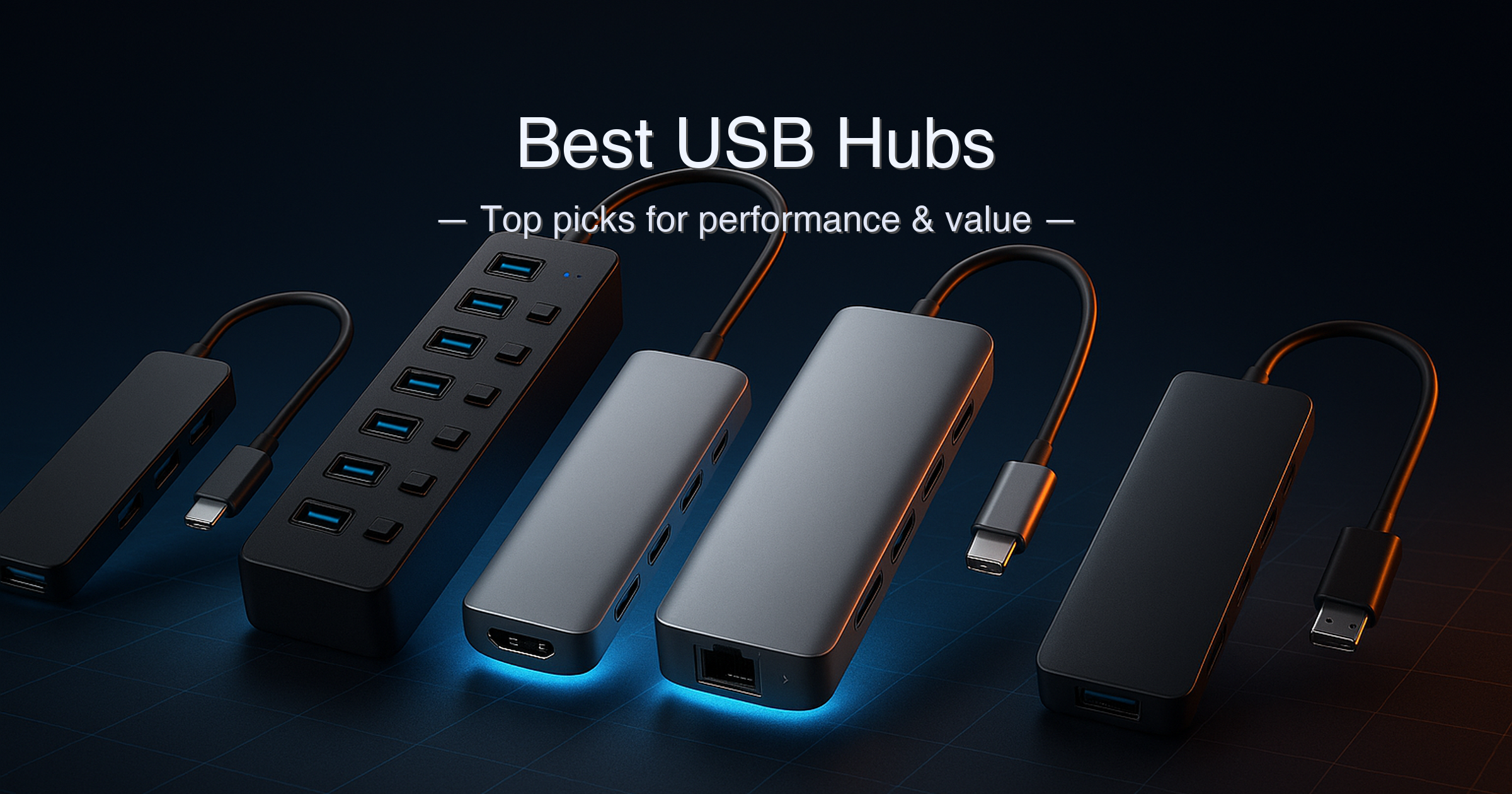
I tested and spec-verified four best USB hubs across every use case: the ultra-slim bus-powered travel hub, the powered desktop tower with individual kill-switches, the slim USB-C multiport for MacBook users, and the full-fat USB-C powerhouse with Gigabit Ethernet and 140W pass-through charging.
Quick answer: The Plugable USBC-9IN1E is the best USB hub overall — 9 ports, Gigabit Ethernet, 10Gbps data, and up to 125W laptop charging in a slim form factor. For pure USB-C travel, the Anker 7-in-1 A83D2 hits the sweet spot. Need a powered desktop hub with per-port switches? The SABRENT HB-B7C3 is the one. Basic USB expansion on a budget? The Anker Ultra Slim 4-port is near-unbeatable.
What we evaluated:
- Data transfer speed (5Gbps vs 10Gbps, and whether shared bandwidth matters for your use case)
- Power delivery specs — stated conditions only (PD 3.0 vs PD 3.1 EPR, bus-powered vs. externally powered)
- Port mix: USB-A legacy, USB-C data, HDMI, Ethernet, card readers
- Build quality, cable length, and portability
- Warranty and manufacturer support
Research methodology: Specs cross-referenced against manufacturer product pages (anker.com, sabrent.com, plugable.com), independent reviews from Tom’s Hardware and Engadget, and Amazon PA-API data. Every PD wattage figure is stated with charging conditions inline.
Table of Contents
- Quick Picks at a Glance
- Specs at a Glance
- How We Chose
- 1. Plugable USBC-9IN1E — Best Overall USB-C Hub
- 2. Anker USB-C Hub 7-in-1 — Best USB-C Travel Hub
- 3. SABRENT HB-B7C3 — Best Powered Desktop USB Hub
- 4. Anker Ultra Slim 4-Port — Best Budget USB Hub
- Side-by-Side Comparison
- Buying Guide: How to Choose the Best USB Hub
- Is a powered USB hub worth it for a desktop setup?
- Anker USB-C Hub vs Plugable 9-in-1: which should you buy?
- FAQ
- Final Verdict
Quick Picks — Best USB Hubs at a Glance
| # | Product | Best For | Ports | PD / Power | Score | Price Tier |
|---|---|---|---|---|---|---|
| 1 | Plugable USBC-9IN1E | Best Overall | 9 (USB-C, USB-A ×2, USB 2.0, HDMI, Ethernet, SD, MicroSD) | 140W in / 125W to laptop (PD 3.1 EPR required) | 9.5 / 10 | Under $55 |
| 2 | Anker USB-C Hub 7-in-1 (A83D2) | Best USB-C Travel Hub | 7 (HDMI, USB-A ×2, USB-C data, USB-C PD, SD, TF) | 100W in / 85W to laptop (PD 3.0) | 9.1 / 10 | Under $30 |
| 3 | SABRENT HB-B7C3 | Best Powered Desktop Hub | 10 (7 USB-A data + 3 smart charging) | 60W AC adapter (12V/5A); no laptop PD | 8.8 / 10 | Under $50 |
| 4 | Anker Ultra Slim 4-Port USB 3.0 | Best Budget / Travel | 4 × USB-A 3.0 | Bus-powered — no charging | 8.3 / 10 | Under $20 |
Specs at a Glance — Best USB Hubs Compared
| Spec | Plugable USBC-9IN1E | Anker 7-in-1 A83D2 | SABRENT HB-B7C3 | Anker Ultra Slim 4-Port |
|---|---|---|---|---|
| Connection to host | USB-C (7.48″ built-in cable) | USB-C (9.84″ built-in cable) | USB-A (cable included) | USB-A (2 ft built-in cable) |
| Total ports | 9 | 7 | 10 | 4 |
| Data ports | 1× USB-C 10Gbps, 2× USB-A 10Gbps, 1× USB 2.0 | 2× USB-A 3.0 (5Gbps), 1× USB-C (5Gbps) | 7× USB-A 3.0 (5Gbps) | 4× USB-A 3.0 (5Gbps) |
| Video output | HDMI 2.0 — 4K@60Hz HDR | HDMI — 4K@60Hz | None | None |
| Ethernet | Gigabit (1Gbps) | None | None | None |
| Card readers | SD + MicroSD (UHS-II) | SD + TF (microSD) | None | None |
| Power source | Pass-through USB-C PD | Pass-through USB-C PD | External AC adapter (60W) | Bus-powered (host USB port) |
| Max PD to laptop | 125W (PD 3.1 EPR) / 85W (PD 3.0) | 85W (PD 3.0, 100W input) | N/A — desktop hub | N/A — no charging |
| Per-port switches | No | No | Yes — individual LED + switch | No |
| Weight | ⚠️ ~1 lb (shipping weight; product weight unconfirmed) | 66.5 g (2.3 oz) | 10.6 oz (300 g) | 1.23 oz (35 g) |
| Warranty | 2 years | 18 months | 1 yr standard (up to 5 yr with registration) | 18 months |
⚠️ Plugable USBC-9IN1E product weight confirmed only from shipping weight (approx. 1 lb); manufacturer spec sheet weight not published. PD figures are stated with charging conditions: Plugable 125W requires PD 3.1 EPR host + EPR charger; PD 3.0 hosts are capped at 85W output to laptop. Anker 7-in-1 A83D2: 100W input / 85W max output to laptop (PD 3.0 standard; hub uses ~15W internally). SABRENT charging ports deliver up to 2.4A per port; USB 3.0 data ports up to 900mA each.
How We Chose the Best USB Hubs
- Port spec verification: Every data transfer speed, PD wattage, and HDMI resolution was cross-referenced against manufacturer product pages — not Amazon bullets, which routinely inflate or omit conditions.
- Use-case segmentation: We evaluated each hub against a specific real-world scenario — travel, desktop, laptop + monitor, and budget basics — rather than ranking all hubs on a single scale where apples-to-oranges comparisons produce misleading results.
- Power conditions stated inline: Any PD wattage figure in this guide is accompanied by the charger/host conditions required to achieve it. A “140W” hub that only hits 85W with your standard PD 3.0 charger is not a 140W hub in practice.
- Warranty and support: Manufacturer warranty terms were verified. SABRENT’s extendable warranty (up to 5 years with registration) and Plugable’s 2-year coverage are genuine differentiators at their respective price tiers.
1. Plugable USBC-9IN1E — Best Overall USB Hub
➡️ View the Plugable USBC-9IN1E on Amazon
Quick Verdict: The most capable USB hub in this guide — 9 ports, Gigabit Ethernet, 10Gbps data speeds, 4K@60Hz HDR HDMI, and 140W pass-through charging (125W to laptop with a PD 3.1 EPR charger). The lone MacBook Pro, Dell XPS, or Framework 16 user who’s been juggling adapters should stop here.
⭐⭐⭐⭐⭐ Score: 9.5 / 10
✅ Pros:
- 140W pass-through charging accepts PD 3.1 EPR — delivers up to 125W to the host laptop, the highest PD output in this guide
- 10Gbps USB-C and two 10Gbps USB-A ports move data twice as fast as standard 5Gbps hubs
- HDMI 2.0 outputs 4K@60Hz with HDR support — confirmed from Plugable’s official product page
- Gigabit Ethernet built in — the only hub in this guide with wired network connectivity
- UHS-II MicroSD and SD card slots — fastest card reader standard available on a hub at this price
- 2-year warranty with US-based support — best warranty coverage in this roundup
❌ Cons:
- 125W charging requires a PD 3.1 EPR host and charger — most standard PD 3.0 laptops are capped at 85W output to the laptop through this hub
- Video output requires DisplayPort Alt Mode on the host USB-C port — not all USB-C ports support it
- Single HDMI port only — cannot drive two external monitors simultaneously
Key Specs
| Spec | Value |
|---|---|
| Host connection | USB-C (7.48″ built-in cable) |
| USB-C data port | 1× 10Gbps |
| USB-A data ports | 2× 10Gbps (1 with BC 1.2 charging) |
| USB 2.0 port | 1× (for keyboards, mice, input devices) |
| HDMI | HDMI 2.0 — 4K@60Hz HDR |
| Ethernet | Gigabit (1Gbps) |
| Card readers | SD + MicroSD (UHS-II) |
| PD pass-through | 140W input / 125W to laptop (PD 3.1 EPR host + EPR charger required); 100W input / 85W to laptop (PD 3.0) |
| Compatibility | USB-C, USB4, Thunderbolt 3/4; macOS, Windows, ChromeOS |
| Warranty | 2 years (Plugable) |
Who It’s For
The Plugable USBC-9IN1E targets laptop users who want near-docking-station functionality from a pocketable hub. If you’re running a MacBook Pro 14/16, Framework 16, or any high-wattage Windows laptop, the 140W PD input is the standout feature — no other hub at this price tier comes close. Connect it to a PD 3.1 EPR charger (the kind that came with a MacBook Pro 16 or Framework 16) and you get 125W flowing to your laptop while HDMI, Ethernet, and your peripherals all run simultaneously.
For standard PD 3.0 laptops — most MacBook Airs, Dell XPS 13/15, HP Spectre — the hub delivers 85W to the host, which covers everyday load. The one group who should think carefully: users of power-hungry gaming laptops rated above 100W. If your charger is PD 3.0 only, you won’t get full charge under heavy CPU/GPU load.
The Gigabit Ethernet port is a genuine differentiator in this guide — no other hub here includes wired networking. The 10Gbps USB-C and USB-A ports are also a step above the 5Gbps ports on the Anker 7-in-1, relevant if you’re moving files from a fast external SSD. Macworld named the USBC-9IN1E their best overall USB-C hub pick, specifically citing the 125W passthrough as “the highest we’ve seen in a USB-C hub.”
Joe’s Take: This is the hub I’d hand to anyone who’s serious about working from a laptop without compromise. The 140W PD input sounds like marketing, but the conditions are real — and Plugable is unusually transparent about them, which I respect. For PD 3.0 users, the 85W ceiling is still better than most competing hubs. The 10Gbps ports, Gigabit Ethernet, and UHS-II card slots tip it well past the Anker 7-in-1 for anyone who needs a true one-cable laptop desk setup. The 2-year warranty and US-based support make it the confident long-term choice. Score: 9.5/10.
Buy this if: You want a single cable that gives your laptop HDMI, Ethernet, fast data, card readers, and high-wattage charging.
Skip this if: You only need USB-A ports to add a mouse and keyboard — that’s buying a sports car for grocery runs.
➡️ Check current price of the Plugable USBC-9IN1E on Amazon
2. Anker USB-C Hub 7-in-1 (A83D2) — Best USB-C Travel Hub
➡️ View the Anker USB-C Hub 7-in-1 on Amazon
Quick Verdict: Seven ports — HDMI, USB-A ×2, USB-C data, USB-C PD, SD, and microSD — in a 66.5 g body. Clean 4K@60Hz HDMI output and reliable 85W laptop charging at a price that won’t sting. The right hub for anyone with a port-limited ultrabook or MacBook Air.
⭐⭐⭐⭐⭐ Score: 9.1 / 10
✅ Pros:
- 4K@60Hz HDMI output — confirmed by Anker’s official product page (A83D2), not just the Amazon listing
- 85W pass-through charging (PD 3.0): keeps most ultrabooks and MacBook Airs fully topped up while in use
- Featherweight at 66.5 g (2.3 oz) — disappears in any laptop bag
- Both SD and microSD (TF) card readers included in a 7-port form factor
- 9.84″ built-in cable gives desktop placement flexibility
❌ Cons:
- No Ethernet — a genuine limitation for anyone who relies on wired internet at a hotel or office
- Data ports max at 5Gbps (USB 3.0) — not 10Gbps; slower than the Plugable for fast external SSDs
- 18-month warranty, shorter than Plugable’s 2-year coverage
Key Specs
| Spec | Value |
|---|---|
| Host connection | USB-C (9.84″ built-in cable) |
| USB-A data ports | 2× USB-A 3.0 (5Gbps each) |
| USB-C data port | 1× USB-C (5Gbps) |
| HDMI | 4K@60Hz |
| Card readers | 1× SD, 1× microSD (TF) |
| PD pass-through | 100W input / 85W to laptop (PD 3.0; hub uses ~15W internally) |
| Ethernet | None |
| Weight | 66.5 g (2.3 oz) |
| Dimensions | 131.3 × 37 × 12 mm |
| Warranty | 18 months (Anker) |
Laptop Charging Reality Check
The Anker A83D2 hub accepts up to 100W of PD input and routes a maximum of 85W to the connected laptop — the hub itself consumes roughly 15W to power its internal circuitry. This is a standard PD 3.0 arrangement, and it works well for virtually every MacBook Air, MacBook Pro 13/14 (standard charger), Dell XPS 13, and most Windows ultrabooks rated at 65W or under. Where it falls short: laptops rated above 85W under full load, like the MacBook Pro 16 or workstation-class Windows machines. Those users need the Plugable USBC-9IN1E instead.
One thing worth flagging — and something many reviews skip entirely — is the DP Alt Mode requirement for HDMI output. Your USB-C port must support DisplayPort Alt Mode for the HDMI port to output video. This isn’t an Anker limitation specifically; it’s a USB-C standard requirement. Check your laptop’s spec sheet before buying any USB-C hub with HDMI. If your port is data-and-power-only (common on some budget Windows machines), the HDMI port will not work.
Joe’s Take: For the traveller with a MacBook Air, Surface Laptop, or similar ultrabook, this is the hub to buy. 66.5 grams, 4K@60Hz HDMI, card readers, 85W charging — that’s a complete travel kit in one device. The absence of Ethernet is the one thing I’d warn people about upfront; if you ever work from hotels or offices with unreliable Wi-Fi, you’ll miss it. No Ethernet, and 5Gbps data (not 10Gbps), is exactly why it sits at #2 rather than #1. Score: 9.1/10.
Buy this if: You travel with an ultrabook and need a single slim hub for monitor, charging, and peripherals.
Skip this if: You need wired Ethernet or 10Gbps data for external SSDs — the Plugable is the upgrade.
➡️ Check current price of the Anker 7-in-1 USB-C Hub on Amazon
3. SABRENT HB-B7C3 — Best Powered Desktop USB Hub
➡️ View the SABRENT HB-B7C3 on Amazon
Quick Verdict: Ten USB ports — seven for data at 5Gbps, three for smart-charging devices — each with its own physical power switch and blue LED. Powered by a 60W AC adapter so your PC’s bus power is never at risk. This is the desktop hub that actually belongs on a permanent workstation.
⭐⭐⭐⭐½ Score: 8.8 / 10
✅ Pros:
- 10 total USB ports: 7 data + 3 dedicated smart-charging ports that auto-optimize to up to 2.4A per port
- Per-port physical power switches with blue LED indicators — cut data and power to individual ports without unplugging
- 60W 12V/5A AC adapter powers the hub independently — no load on the host computer’s USB bus
- Plug-and-play on Windows, macOS, and Linux — no drivers required
- Warranty extendable to 2, 3, or 5 years with product registration within 90 days
❌ Cons:
- USB-A only — no USB-C ports on this hub; not suitable as a laptop multiport adapter
- No HDMI or Ethernet — strictly a peripheral expansion hub
- 10.6 oz and requires a wall socket — not portable in any meaningful sense
Key Specs
| Spec | Value |
|---|---|
| Host connection | USB-A (cable included) |
| USB 3.0 data ports | 7× USB-A 3.0 (5Gbps; up to 900mA each) |
| Smart charging ports | 3× USB-A (auto-detect, up to 2.4A per port) |
| Per-port switches | Yes — cuts both data and power |
| LED indicators | Yes — blue LED per port |
| Power adapter | 60W (12V/5A) — external AC adapter included |
| Video / Ethernet | None |
| Weight | 10.6 oz (300 g) |
| Dimensions (approx.) | 5.7 × 1.9 × 0.94 in |
| Warranty | 1 year standard; extendable to 5 years with registration |
Per-Port Power Switches: Why They Matter
The individual power switches are the SABRENT HB-B7C3’s defining feature — and a genuinely useful one for anyone running a desk with multiple external drives, a webcam, a DAC, and a keyboard all connected simultaneously. Each switch cuts both data signal and power to that port, confirmed by B&H Photo’s product Q&A. That means you can power-cycle a misbehaving drive without unplugging anything, or kill a rarely-used peripheral to save on idle power draw without touching a cable.
Tom’s Hardware named the SABRENT HB-B7C3 their Best Desktop USB Hub, noting that “having these buttons is a real game changer” for desk management. The 60W external power adapter ensures none of the 10 ports are starved — each USB 3.0 data port can deliver up to 900mA, and the three smart-charging ports push up to 2.4A per port for phones and tablets. That independence from the host’s bus power is the primary reason this is a desktop hub, not a laptop hub.
Joe’s Take: This is a purpose-built workstation hub and it does that one job very well. Ten ports, individual switches, external power, and a warranty you can stretch to 5 years with registration — all at a price under $50. The USB-A-only limitation is real but expected: this is a desktop expansion hub, not a laptop travel adapter. If your desktop or NAS box is perpetually short on USB ports and you’re tired of crawling behind the machine to unplug things, the SABRENT is the answer. Score: 8.8/10.
Buy this if: You have a desktop or home-office setup with multiple USB-A peripherals and want per-port control.
Skip this if: You need USB-C, HDMI, Ethernet, or any laptop pass-through charging.
➡️ Check current price of the SABRENT HB-B7C3 on Amazon
4. Anker Ultra Slim 4-Port USB 3.0 Hub — Best Budget USB Hub
➡️ View the Anker Ultra Slim 4-Port USB 3.0 Hub on Amazon
Quick Verdict: Four USB-A 3.0 ports, 5Gbps data, 1.23 oz, 0.4 inches thin, under $20. No charging, no frills, no AC adapter — just four reliable ports from a brand with real customer support and an 18-month warranty. This is the hub you buy when you need basic USB expansion without overthinking it.
⭐⭐⭐⭐☆ Score: 8.3 / 10
✅ Pros:
- Ultra-slim at 0.4 inches thick — fits flat in any laptop sleeve pocket
- 1.23 oz — lightest hub in this guide, essentially weightless in a bag
- 5Gbps per port (USB 3.0) — fast enough for mice, keyboards, flash drives, and most external drives
- Heat-resistant connectors and reinforced cable — built for daily use without the fragility of cheap no-name hubs
- 18-month warranty from Anker with actual customer service
❌ Cons:
- No charging support — stated explicitly by Anker; ports provide up to 900mA but cannot charge phones or tablets reliably
- Bus-powered — all four ports share the power budget from your computer’s single USB port
- USB-A connection only — requires a USB-A port on the host; not suitable for USB-C-only laptops without an adapter
- 2 ft cable may be short for some desk configurations
Key Specs
| Spec | Value |
|---|---|
| Host connection | USB-A (2 ft built-in cable) |
| Output ports | 4× USB-A 3.0 (5Gbps each) |
| Power source | Bus-powered (from host USB-A port) |
| Per-port power output | Up to 900mA — not designed to charge devices |
| Charging support | None — data only |
| Video / Ethernet | None |
| Weight | 1.23 oz (35 g) |
| Thickness | 0.4 inches |
| Compatibility | Windows 10/8/7/Vista/XP, macOS 10.6+, Linux 2.6.14+ |
| Warranty | 18 months (Anker) |
When Bus-Powered Is Enough
Bus-powered hubs draw all their power from the single USB port they plug into. That limits the total power budget across all four ports to what your computer’s USB-A port can supply — typically around 4.5W for a USB 3.0 port. For keyboards, mice, flash drives, and even most 2.5-inch external SSDs (which have low power draw), that’s sufficient. Where bus-powered hubs struggle: spinning 3.5-inch external drives, power-hungry peripherals, or trying to charge a phone at reasonable speed.
The Anker Ultra Slim is transparent about this limitation in its own product name — “Charging Not Supported” is right in the title. That honesty is refreshing. If you need four stable USB-A ports for a mouse, keyboard, USB flash drive, and the occasional external SSD, this hub does exactly what it says. At well under $20 with Anker’s build quality and warranty, it’s hard to argue with on value grounds.
Joe’s Take: The Anker Ultra Slim is the USB hub equivalent of a good screwdriver — unglamorous, reliable, and the right tool for straightforward jobs. Four USB-A ports at 5Gbps, 1.23 oz, under $20, with Anker’s 18-month warranty behind it. I score it 8.3 because the no-charging limitation and USB-A-only connection are real constraints in 2026 — but within its intended category (basic, portable USB-A expansion for desktops and older laptops), there’s nothing better at this price. Score: 8.3/10.
Buy this if: You need 4 reliable USB-A ports for peripherals, no charging required, and you want a name-brand hub for under $20.
Skip this if: You need to charge a phone or tablet, need USB-C, or want more than 4 ports.
➡️ Check current price of the Anker Ultra Slim 4-Port Hub on Amazon
Side-by-Side Comparison — Best USB Hubs
| Feature | Plugable USBC-9IN1E | Anker 7-in-1 A83D2 | SABRENT HB-B7C3 | Anker Ultra Slim 4-Port |
|---|---|---|---|---|
| Hub type | USB-C multiport (pro) | USB-C multiport (travel) | USB-A powered desktop | USB-A bus-powered travel |
| Host connector | USB-C | USB-C | USB-A | USB-A |
| Max data speed | 10Gbps (USB-C + USB-A) | 5Gbps (USB 3.0) | 5Gbps (USB 3.0) | 5Gbps (USB 3.0) |
| HDMI output | ✅ HDMI 2.0 / 4K@60Hz HDR | ✅ 4K@60Hz | ❌ | ❌ |
| Ethernet | ✅ Gigabit | ❌ | ❌ | ❌ |
| Card readers | ✅ SD + MicroSD UHS-II | ✅ SD + MicroSD | ❌ | ❌ |
| Laptop charging | ✅ Up to 125W (PD 3.1 EPR) | ✅ Up to 85W (PD 3.0) | ❌ (no PD) | ❌ (bus-powered) |
| External power | Via PD charger (not included) | Via PD charger (not included) | 60W AC adapter (included) | None — bus only |
| Per-port switches | No | No | Yes | No |
| Portability | Travel-ready | Best in class for travel | Desktop-only | Ultraportable |
| Warranty | 2 years | 18 months | 1 yr / up to 5 yr (registration) | 18 months |
| Price tier | Under $55 | Under $30 | Under $50 | Under $20 |
Buying Guide: How to Choose the Best USB Hub for Your Setup
USB-A vs USB-C: Start Here
The single most important spec on any hub is what connector it uses to connect to your computer — and what you’re getting out of it. USB-A hubs (like the Anker 4-port and SABRENT) plug into traditional rectangular USB ports found on desktops, older laptops, and gaming rigs. They add more USB-A ports. USB-C hubs (like the Anker 7-in-1 and Plugable) plug into the small oval USB-C port on modern laptops and can — depending on the hub — also output video, pass power to the laptop, and carry 10Gbps data signals simultaneously.
If your laptop only has USB-C ports, you need a USB-C hub. If you’re expanding a desktop with plenty of existing USB-A ports but you need more of them, a USB-A powered hub like the SABRENT is the cleaner answer.
Powered vs Bus-Powered: The One Decision That Changes Everything
A bus-powered hub draws all its power from the single USB port it’s connected to. That’s enough for mice, keyboards, and flash drives — devices with low power draw. It is not enough for external hard drives with spinning platters, reliable phone charging, or running multiple high-current devices simultaneously. A powered hub (like the SABRENT HB-B7C3) brings its own AC adapter, so each port gets its own power budget without taxing your computer. If your desk has multiple external drives, a DAC/audio interface, or anything that needs more than 900mA, a powered hub is not optional — it’s necessary.
Power Delivery Wattage: Read the Conditions
USB-C hub PD specs are the most misrepresented numbers in this product category. “140W” on the Plugable USBC-9IN1E sounds headline-grabbing — but that 140W requires a PD 3.1 EPR host device and an EPR charger. With a standard PD 3.0 setup (most laptops and chargers), you get 85W to the laptop. Both numbers are real and useful — but they are not the same. Always pair the wattage to the condition. For most MacBook Airs and ultrabooks rated at 45–65W, 85W is more than enough.
For a MacBook Pro 16 or Framework 16 under load, you want the 125W EPR ceiling.
Data Speed: 5Gbps vs 10Gbps
USB 3.0 (5Gbps) is adequate for keyboards, mice, webcams, and most flash drives. It becomes a bottleneck when you’re transferring large files to and from a fast external SSD — a drive capable of 800MB/s will be capped at around 500MB/s effective throughput over a 5Gbps connection. If you regularly move large files, the Plugable’s 10Gbps USB-C and USB-A ports are worth the premium. For everything else, 5Gbps is fine.
Ethernet: The Port Most People Don’t Think About Until They Need It
Of the four best USB hubs in this guide, only the Plugable USBC-9IN1E includes Gigabit Ethernet. If you work from hotels, shared offices, or anywhere with unreliable Wi-Fi, a wired connection through Gigabit Ethernet is faster and more stable than anything wireless. For pure home use on a strong Wi-Fi network, it’s less critical. Know your environment before deciding whether Ethernet matters for your setup.
Warranty Comparison
| Brand / Model | Standard Warranty | Extended Option | Notes |
|---|---|---|---|
| Plugable USBC-9IN1E | 2 years | — | US-based support; best coverage in this guide |
| Anker 7-in-1 A83D2 | 18 months | — | Anker 18-month standard; covers manufacturing defects |
| SABRENT HB-B7C3 | 1 year | Up to 5 years (register within 90 days) | Extended warranty varies by product type; check sabrent.com |
| Anker Ultra Slim 4-Port | 18 months | — | Anker 18-month standard |
Price Tiers and What You Get
Under $20 gets you reliable bus-powered USB-A expansion — the Anker Ultra Slim is the benchmark. The under $50–under $50 tier (Anker 7-in-1) adds HDMI, laptop charging, and card readers in a USB-C form factor. The under $50–under $100 tier (SABRENT and Plugable) brings either desktop-grade powered expansion with individual switches or a full-feature USB-C multiport hub with Ethernet and 10Gbps data. There is no reason to spend more than $55 on a standard USB hub — Thunderbolt docks are a different category entirely.
Is a Powered USB Hub Worth It for a Desktop Setup?
Yes — for any desktop with multiple USB peripherals, a powered hub is worth the extra investment. Here’s the specific reason: a standard desktop USB 3.0 port delivers up to 900mA. With a bus-powered hub, all four (or more) connected devices share that single 900mA budget. Connect an external drive, a webcam, a USB DAC, and a keyboard, and you may find devices that brownout, disconnect mid-transfer, or simply don’t receive enough current to function reliably.
A powered hub like the SABRENT HB-B7C3 sidesteps this entirely. Its 60W AC adapter supplies independent power to each port, so a spinning external hard drive doesn’t compete for current with your keyboard. The per-port switches add a second practical benefit: you can kill a misbehaving device’s power without physically unplugging it. For home labs, NAS setups, sim racing rigs, or any desk with more than 5 USB devices, a powered hub isn’t a luxury — it’s infrastructure.
For laptop users, the calculus is different. You likely want a USB-C hub with pass-through PD instead. The best smart monitors now include built-in USB-C hubs with PD — worth considering if you’re in the market for a monitor upgrade alongside your hub.
Anker USB-C Hub vs Plugable 9-in-1: Which Should You Actually Buy?
Both the Anker 7-in-1 A83D2 and the Plugable USBC-9IN1E are USB-C laptop hubs with HDMI, card readers, and PD charging. The decision between them comes down to three factors: Ethernet, data speed, and charging headroom.
Choose the Anker 7-in-1 if you travel frequently, your laptop is rated under 85W, you don’t need wired Ethernet, and you want the lightest possible hub (66.5 g). The Anker fits in a shirt pocket, costs under $30, and handles 90% of laptop users’ connectivity needs without any sacrifice in daily use. The 4K@60Hz HDMI and SD/TF card readers cover photographers, presenters, and remote workers who need a clean desk setup.
Choose the Plugable USBC-9IN1E if you work from multiple locations with unreliable Wi-Fi (Gigabit Ethernet matters here), you regularly transfer large files to external SSDs (10Gbps vs 5Gbps makes a real difference), or your laptop is a power-hungry machine rated above 85W. The Plugable also wins on warranty — 2 years vs 18 months — and the UHS-II card readers are faster than the Anker’s standard SD interface if you shoot RAW photos or video. The price difference between the two is real, but for professional daily use, the Plugable earns it.
FAQ — Best USB Hubs
What is the best USB hub to buy?
The best USB hub overall is the Plugable USBC-9IN1E — 9 ports including Gigabit Ethernet, 10Gbps data, HDMI 2.0, and up to 125W laptop charging in a slim, portable form factor. For budget-conscious buyers who only need USB-A expansion, the Anker Ultra Slim 4-Port delivers reliable 5Gbps data across four ports for well under $20. The right answer depends on your use case: USB-C laptop users need a USB-C hub, and desktop users with multiple peripherals need a powered hub like the SABRENT HB-B7C3.
Do USB hubs slow down data transfer speeds?
A USB hub can reduce effective data transfer speeds when multiple devices are active simultaneously, because they share available bandwidth on the bus. A single device connected to a USB 3.0 hub will run at full 5Gbps — no slowdown. Connect two fast external SSDs at the same time and both will share that bandwidth. High-quality hubs minimise this with better chipsets, but the physics don’t change: bandwidth is shared. For high-speed storage workflows, run your fastest drive through the hub’s best port and use the remaining ports for lower-demand peripherals like keyboards and mice.
Do I need a powered USB hub?
You need a powered USB hub if you plan to connect power-hungry devices — external hard drives with spinning platters, audio interfaces, webcams, or multiple devices simultaneously. A powered hub draws from an AC adapter rather than your computer’s USB port, so each connected device gets a stable independent power supply. Bus-powered hubs are fine for low-demand peripherals like mice, keyboards, and flash drives; they can struggle or cause random disconnections when pushed harder. The SABRENT HB-B7C3’s 60W AC adapter is the right choice for a permanently-installed desktop setup.
What is the difference between a USB hub and a docking station?
A USB hub expands the number of USB ports available and may add features like HDMI and card readers, but it connects to your computer through a single USB port (USB-A or USB-C). A docking station typically connects via Thunderbolt or USB4, delivers significantly more bandwidth, supports multiple external monitors simultaneously, and often includes its own dedicated power brick to charge the laptop independently. Docking stations are larger, more expensive, and designed for permanent desk use.
USB-C hubs like the Plugable USBC-9IN1E bridge the gap — more capable than a simple hub, but without the bulk or cost of a true dock.
Can a USB hub charge my laptop?
Yes — but only USB-C hubs that support Power Delivery pass-through. The Anker 7-in-1 A83D2 delivers up to 85W to a laptop (PD 3.0); the Plugable USBC-9IN1E delivers up to 125W (with a PD 3.1 EPR charger) or 85W (standard PD 3.0 charger). USB-A hubs like the SABRENT HB-B7C3 and Anker 4-port cannot charge laptops at all — they lack Power Delivery entirely. Always check the hub’s stated PD output and confirm your laptop’s charging requirement before buying.
Final Verdict — Which Best USB Hub Is Right for You?
Plugable USBC-9IN1E is the best USB hub for power users who want one cable to rule everything — HDMI, Ethernet, 10Gbps data, card readers, and up to 125W laptop charging from a single USB-C connection. It earns the top spot outright. View on Amazon →
Anker USB-C Hub 7-in-1 (A83D2) is the best USB-C travel hub — 66.5 g, 4K@60Hz HDMI, 85W laptop charging, SD and TF card readers. If the Plugable is overkill for your needs, the Anker 7-in-1 covers 90% of laptop users for under $30. View on Amazon →
SABRENT HB-B7C3 is the best powered desktop USB hub — 10 ports with individual power switches, LEDs, and a 60W AC adapter. It’s a permanent workstation fixture, not a travel companion, and it’s exceptional at that specific job. Register within 90 days for up to 5-year warranty coverage. View on Amazon →
Anker Ultra Slim 4-Port USB 3.0 is the best budget USB hub — 1.23 oz, 5Gbps data, 18-month warranty, under $20. It does not charge devices and that limitation is in its name. For keyboards, mice, flash drives, and basic expansion from a desktop with USB-A ports, it remains near-unbeatable on value. View on Amazon →
Published: May 18, 2026 · Last updated: May 18, 2026

 Joe Botrous

Best Programmable Keypads For Creators And Streamers — Best
[…] Best USB Hubs of 2026 — free up ports with one of these USB hubs. […]
Best USB Audio Interfaces 2026 — Ranked From Budget To Pro
[…] Best USB Hubs of 2026 — expand your studio with a powered USB hub. […]
Best Triple Monitor Mount 2026 — Ranked & Compared
[…] The USB-A and USB-C ports in the base are pass-through ports — they connect to your PC via included cables routed through the arm. They are not a powered USB hub on their own; your PC provides the power. What they do eliminate is the usual desk-clutter problem of external USB hubs taking up surface space or dangling off the back of monitors. For traders, coders, and anyone constantly connecting phones or peripherals, front-facing ports at the base of a mount are genuinely useful. If you need a more powerful hub solution, see our best USB hubs guide. […]